
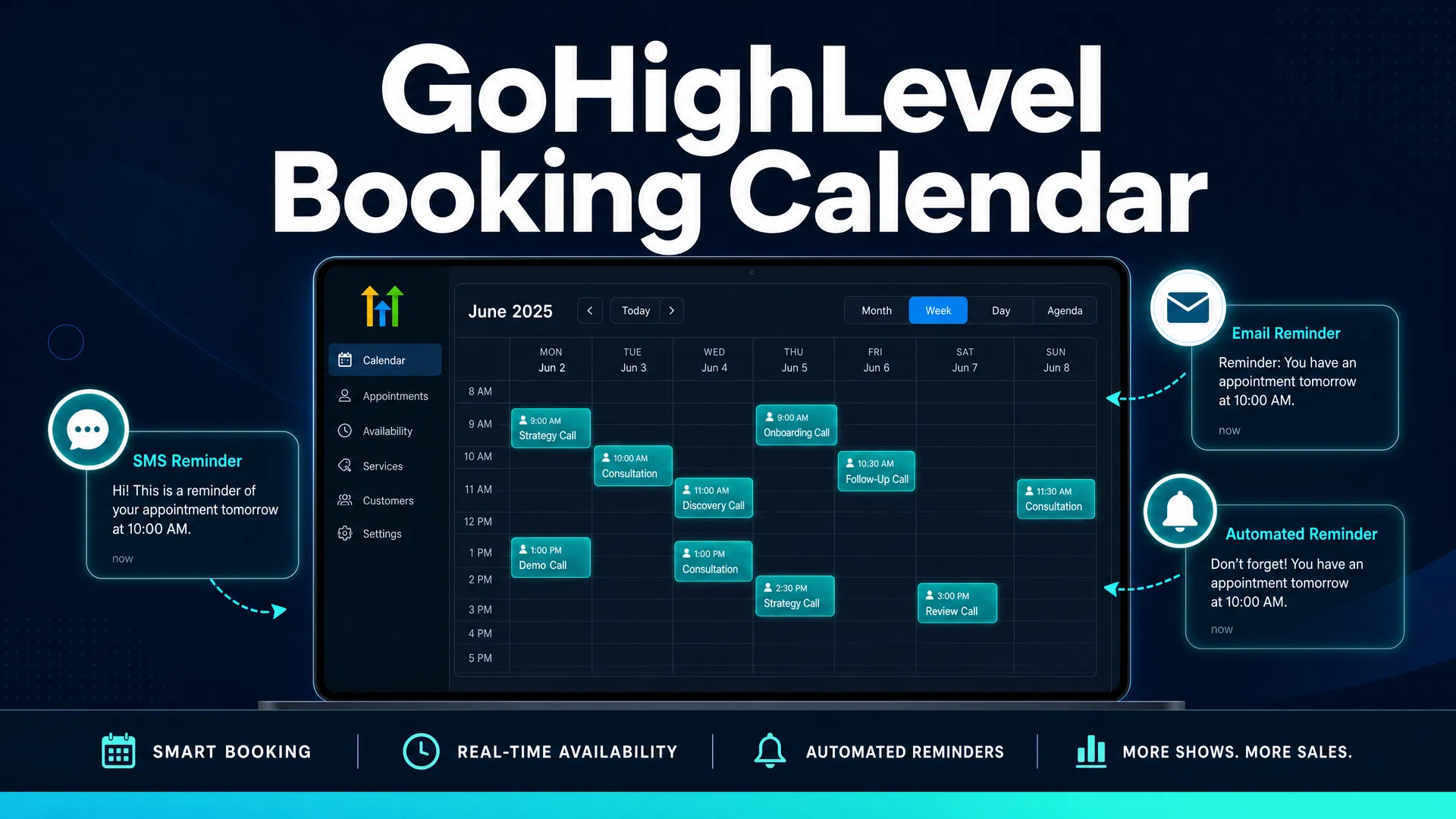
GoHighLevel Booking Calendar: How It Works for Local Service Businesses
If you run a plumbing company, dental practice, HVAC business, or any service that depends on appointments, you already know the problem. Customers call when you're on a job. They want to book at 9pm on a Tuesday. They forget about their appointment and don't show up. Your front desk spends half the day on scheduling calls that could be automated.
GoHighLevel's booking calendar is built to solve exactly that. It's not a standalone scheduling tool — it's a calendar system that's wired directly into your CRM, your automation workflows, and your SMS/email reminder sequences. When someone books an appointment, GoHighLevel can automatically confirm it, remind them 48 hours out, send a text 2 hours before, and follow up after the job is done.
This guide covers how the calendar works, what the different calendar types do, how to set up automated reminders that actually reduce no-shows, and what you need to know before you start.
What GoHighLevel's Calendar Actually Does
At its core, GoHighLevel's calendar lets customers book appointments directly from your website, landing page, or a shared booking link — without calling you. You set your available hours, buffer times between appointments, and how long each appointment type takes. The calendar handles the rest.
But the real value isn't the booking form. It's what happens after someone books.
When a new appointment is created in GoHighLevel, it triggers your automation workflows. That means you can automatically:
- Send an SMS confirmation within seconds of booking
- Send an email with appointment details, directions, and what to bring
- Send a reminder text 48 hours before the appointment
- Send another reminder 2 hours before
- Follow up after the appointment to request a Google review
- Move the contact to a different pipeline stage (from "Lead" to "Booked" to "Completed")
This is the difference between a booking tool and a booking system. Calendly lets people schedule meetings. GoHighLevel's calendar starts an automated sequence the moment someone books — and that sequence can run for days or weeks without you touching it.
Research consistently shows that automated SMS appointment reminders reduce no-show rates by 25–40%. For a service business with a 15% no-show rate and an average job value of $350, cutting no-shows in half adds roughly $26,000 in recovered revenue per year — without adding a single new customer.
The Four Calendar Types in GoHighLevel
GoHighLevel offers four distinct calendar configurations. Each one is built for a different business scenario.
Personal Booking Calendar is the standard setup for solo operators or single-location businesses. You set your availability, and customers book directly with you. This is what most local service businesses start with.
Round Robin Calendar distributes appointments across multiple team members based on availability. If you have three technicians and a customer books a service call, GoHighLevel automatically assigns it to whoever has an open slot. This is useful for HVAC companies, cleaning services, or any business with multiple field staff.
Collective Booking Calendar is for appointments that require multiple team members simultaneously — like a consultation that needs both a sales rep and a technical specialist. Less common for local service businesses, but useful for higher-ticket service companies.
Service Calendar is designed specifically for service-based businesses that offer multiple service types with different durations and pricing. A dental practice might offer cleanings (45 minutes), exams (30 minutes), and whitening consultations (20 minutes). The service calendar lets customers choose the service type, and the system automatically adjusts the time slot accordingly.
For most local service businesses — plumbers, HVAC, roofers, electricians, auto repair shops — the Personal Booking Calendar or Round Robin is the right starting point.
Setting Up Your First GoHighLevel Calendar
Setup takes under 30 minutes for a basic calendar. Here's what you'll configure:
Basic Details: Give the calendar a name, set the appointment duration (30 minutes, 60 minutes, etc.), and write a brief description that customers will see on the booking page.
Availability: Set your working hours for each day of the week. You can set different hours for different days — for example, 8am–5pm Monday through Friday, 9am–1pm Saturday, closed Sunday.
Buffer Times: Add buffer time before and after appointments so you're not running back-to-back without any transition time. A 15-minute buffer after each appointment is standard for field service businesses.
Booking Rules: Set how far in advance customers can book (minimum 2 hours, maximum 30 days), and how much notice you need before an appointment can be scheduled.
Confirmation and Reminders: This is where you connect your calendar to your automation workflows. GoHighLevel has a pre-built "Appointment Confirmation + Reminder" workflow recipe that you can activate with a few clicks.
Once your calendar is live, you get a shareable booking link and an embed code you can add to your website. Most businesses add the booking link to their Google Business Profile, their website's contact page, and their email signature.
Automated Reminders: The Part That Actually Reduces No-Shows
The booking calendar is useful on its own. But the automated reminder sequence is what makes it worth the setup time.
GoHighLevel's reminder system works through its Workflow automation builder. When a new appointment is created, the workflow triggers automatically. A typical reminder sequence for a local service business looks like this:
Immediately after booking: Send SMS confirmation with appointment date, time, and address. Include a "Reply C to confirm or R to reschedule" option.
48 hours before: Send SMS reminder. "Hi [Name], just a reminder you have a [Service] appointment on [Date] at [Time]. Reply C to confirm or call us at [Phone] to reschedule."
2 hours before: Final SMS reminder. Short and direct — "Your [Service] appointment is in 2 hours at [Address]. See you soon."
After the appointment: Send a review request. "Thanks for trusting us with your [Service]. If we did a good job, would you mind leaving us a quick Google review? [Link]"
This four-message sequence runs automatically for every appointment. You set it up once, and it runs in the background indefinitely. According to MGMA research, 88% of medical practices that implemented automated appointment reminders reported a reduction in no-show rates. For service businesses, the numbers are similar — automated reminders consistently reduce no-shows by 20–40%.
Integrating with Google Calendar and Other Tools
GoHighLevel's calendar syncs with Google Calendar and iCloud, so your appointments show up in whatever calendar app you already use. This is important for field technicians who check their schedule on their phone — they don't need to log into GoHighLevel to see their day.
The sync is two-way: appointments booked through GoHighLevel appear in Google Calendar, and events you add to Google Calendar block off time in GoHighLevel so customers can't book during those slots.
GoHighLevel also integrates with Zoom and Google Meet for virtual consultations. If you do remote estimates or consultations, the booking confirmation email automatically includes the video call link.
What This Costs
GoHighLevel's booking calendar is included in every plan — there's no separate fee for the calendar feature itself.
The Starter plan at $97/month includes the full calendar system, automation workflows, SMS and email reminders, and CRM integration. For a business that's currently paying for a separate scheduling tool (Calendly Pro runs $12–$20/month, Acuity Scheduling runs $16–$45/month), GoHighLevel replaces that tool while also replacing your CRM, email marketing platform, and review management system.
The only additional costs are SMS usage fees. GoHighLevel charges approximately $0.0079 per SMS segment (roughly 160 characters). For a business sending 3 reminder messages to 100 appointments per month, that's about $2.37/month in SMS costs — essentially negligible.
How It Compares to Standalone Scheduling Tools
Calendly and Acuity Scheduling are both solid tools for basic appointment booking. But they don't connect to a CRM, they don't trigger automation workflows, and they don't send review requests after the appointment.
GoHighLevel's calendar does all of that because it's part of a larger platform. When a customer books an appointment, they're automatically added to your CRM as a contact. Their appointment history, SMS conversations, and review responses all live in the same place. You can see at a glance which customers have booked multiple times, which ones have never left a review, and which ones haven't been back in six months.
That kind of visibility is what separates a booking tool from a business system.
If you're already using GoHighLevel for CRM or SMS marketing, setting up the calendar is a no-brainer — it's already included in your plan. If you're evaluating GoHighLevel specifically for scheduling, the calendar is a strong feature, but the real value is the automation that surrounds it.
Common Setup Mistakes to Avoid
Not setting buffer times: If you schedule appointments back-to-back without buffer time, you'll constantly run late. Add at least 15 minutes of buffer after each appointment.
Forgetting to connect the reminder workflow: The calendar doesn't automatically send reminders — you have to activate the workflow. Most businesses set up the calendar but skip the reminder sequence, which defeats half the purpose.
Not adding the booking link to Google Business Profile: Your Google Business Profile is often the first place customers find you. Adding your booking link there lets people book directly from Google search results — no phone call required.
Setting availability too narrow: If your calendar only shows availability 2–3 days out, customers who want to book a week in advance will call instead. Set your maximum booking window to at least 30 days.
Not testing the booking flow: Before you share the link publicly, book a test appointment yourself. Check that the confirmation SMS arrives, the reminder sequence triggers correctly, and the appointment shows up in your calendar.
The Bottom Line
GoHighLevel's booking calendar is a solid scheduling system, but the reason to use it isn't the calendar itself — it's the automation that runs around it. The confirmation messages, the reminder sequences, the review requests after the job, and the CRM integration that ties everything together.
For a local service business that's currently handling scheduling manually or using a standalone tool like Calendly, switching to GoHighLevel's calendar means fewer no-shows, less time on the phone, and a cleaner system for tracking every customer interaction from first booking to repeat business.
If you want to see how much your current no-show rate is costing you before you make any changes, the appointment no-show calculator gives you a specific dollar figure based on your industry and average job value. Most service businesses are surprised by the number.
GoHighLevel offers a 14-day free trial with full access to the calendar system and automation workflows — no credit card required. Most businesses have their first calendar live and their reminder sequence running within a couple of hours.