
GoHighLevel Conversation AI: What It Does for Local Service Businesses
When a potential customer sends a message to your business at 10pm on a Friday, what happens? If you're like most local service businesses, nothing happens until Monday morning — by which point they've already booked with someone else.
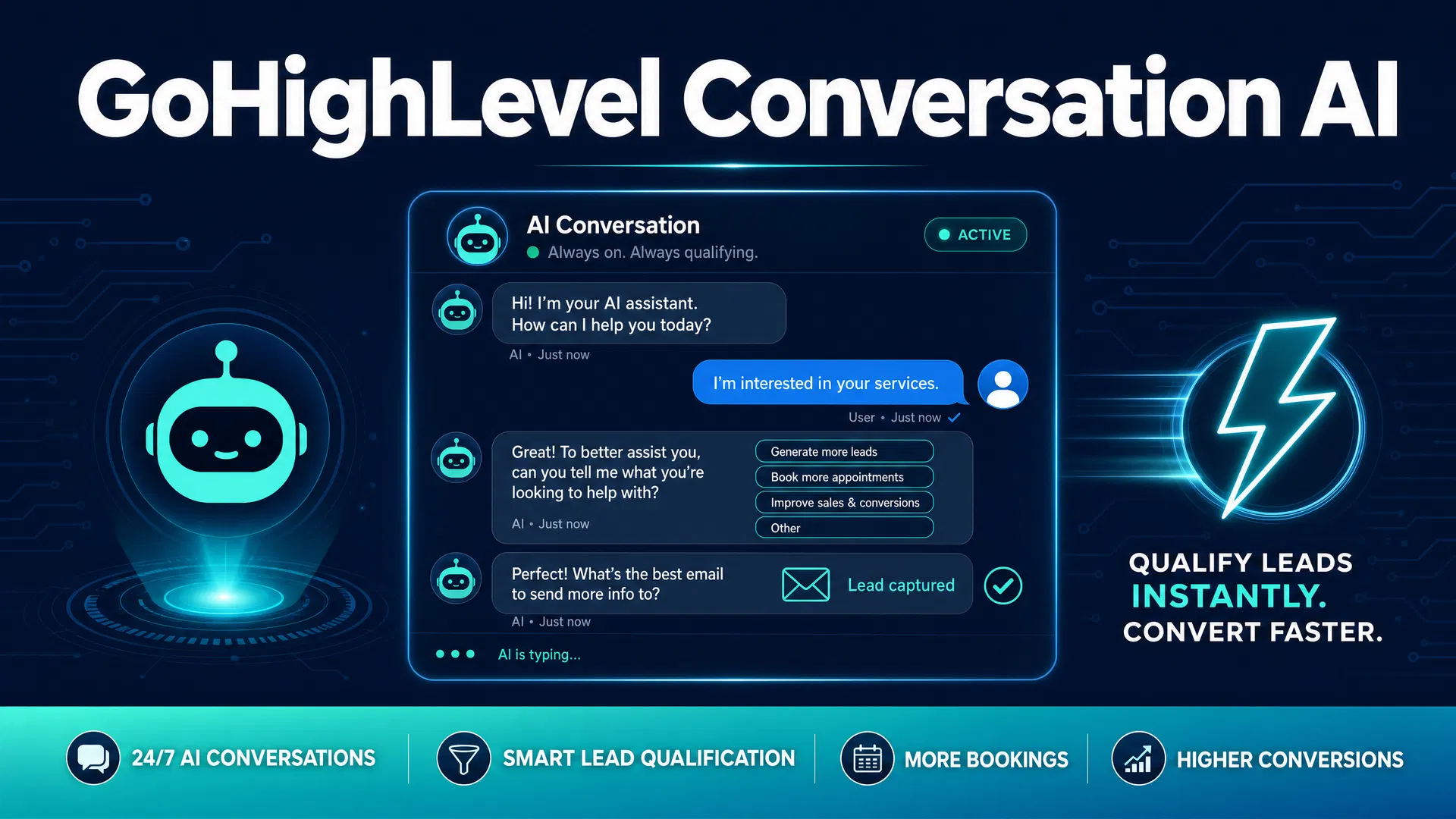
GoHighLevel's Conversation AI is designed to solve that specific problem. It's an AI-powered chatbot that responds to incoming messages automatically, qualifies leads by asking the right questions, and books appointments directly into your calendar — without any human involvement.
This isn't a generic FAQ bot that gives canned responses. It's a conversational AI that can handle back-and-forth exchanges, understand what the customer is asking for, and route them to the right outcome — whether that's booking an appointment, answering a question about pricing, or escalating to a human when the situation requires it.
Here's what it actually does, what it costs, and whether it makes sense for your business.
What GoHighLevel's Conversation AI Does
Conversation AI in GoHighLevel works across multiple channels: SMS, website chat widget, Facebook Messenger, Instagram DMs, and Google Business Messages. When a message comes in on any of these channels, the AI can respond automatically.
The AI is trained on information you provide — your services, pricing, business hours, location, and any FAQs you want it to handle. It uses that context to give accurate, relevant responses rather than generic ones.
The core use cases for local service businesses are:
Lead qualification: When someone asks "How much does it cost to replace a water heater?" the AI doesn't just give a price range — it asks follow-up questions to understand the scope of work, collects the customer's name and contact information, and qualifies whether this is a real lead worth following up on.
Appointment booking: Once a lead is qualified, the AI can check your calendar availability and book the appointment directly. The customer gets a confirmation, and the appointment shows up in your GoHighLevel calendar with the lead's contact information already attached.
After-hours coverage: This is where Conversation AI pays for itself fastest. Most service businesses lose 30–40% of their after-hours inquiries because no one responds until the next morning. A lead generation chatbot that responds within seconds — even at midnight — captures those leads before they move on.
FAQ handling: Common questions about pricing, service areas, what to expect during a service call, payment methods, and warranty information can all be handled automatically. This reduces the volume of repetitive questions your staff has to answer.
How the AI Actually Responds
GoHighLevel's Conversation AI uses a large language model to generate responses — not a rigid decision tree. This means it can handle questions it wasn't explicitly trained on by drawing on its general knowledge and the context you've provided.
You configure the AI by writing a "bot persona" — a description of your business, your services, your tone, and any specific information the AI should know. The more detail you provide, the better the AI performs.
For example, a plumbing company might configure the AI with:
- Business name, service area, and hours
- List of services offered (drain cleaning, water heater installation, leak repair, etc.)
- Pricing ranges for common jobs
- What to say when someone asks about emergency service
- How to handle requests outside the service area
Once configured, the AI handles conversations naturally. It doesn't sound like a robot. It sounds like a knowledgeable front desk person who knows your business well.
Research from lead generation platforms shows that businesses using AI chatbots have seen lead conversions increase by up to 67%, while response times drop by up to 90%. The speed advantage alone is significant — studies consistently show that responding to a lead within 5 minutes makes you 100 times more likely to reach them than waiting 30 minutes.
Setting Up Conversation AI in GoHighLevel
Conversation AI is available as part of GoHighLevel's AI Employee features. Here's how the setup works:
Step 1: Enable the AI Employee. Navigate to Settings > AI Employee in your GoHighLevel account. You'll need to have the AI Employee add-on enabled (more on pricing below).
Step 2: Configure your bot persona. Write a detailed description of your business, services, and how you want the AI to communicate. Include your service area, hours, pricing ranges, and any specific instructions (e.g., "always ask for the customer's address before quoting a price").
Step 3: Set the intent. You can configure the AI for different goals: booking appointments, collecting lead information, answering FAQs, or a combination. For most service businesses, the goal is to qualify the lead and book an appointment.
Step 4: Connect your calendar. Link the AI to your GoHighLevel booking calendar so it can check availability and book appointments directly.
Step 5: Set escalation rules. Define when the AI should hand off to a human — for example, if a customer is angry, if they ask about something outside the AI's knowledge, or if they explicitly request to speak with a person.
Step 6: Test before going live. Send test messages through each channel you've enabled. Check that the AI responds accurately, books appointments correctly, and escalates appropriately.
What Channels It Works On
GoHighLevel's Conversation AI works across:
- SMS/text messages: When someone texts your business number, the AI responds automatically
- Website chat widget: The chat bubble on your website can be powered by the AI
- Facebook Messenger: Automate responses to Facebook messages
- Instagram DMs: Respond to Instagram direct messages automatically
- Google Business Messages: Handle inquiries that come through your Google Business Profile
For most local service businesses, SMS and website chat are the highest-priority channels. SMS because most customers prefer texting over calling, and website chat because it captures leads who are actively browsing your site.
What It Costs
GoHighLevel's AI Employee features are priced separately from the base platform subscription.
The AI Employee Unlimited Plan costs $97/month per sub-account (on top of your base GoHighLevel subscription). This covers unlimited usage of the AI Employee features, including Conversation AI, Voice AI, and Reviews AI.
On the Unlimited GoHighLevel plan ($297/month), the AI Employee Unlimited Plan is available for $97/month per sub-account.
For a single-location local service business, the total cost would be $97/month (Starter plan) + $97/month (AI Employee) = $194/month. If the AI captures even one additional job per month at an average value of $300–$500, it pays for itself.
Alternatively, you can use AI Employee on a per-usage basis without the flat monthly fee, though this becomes more expensive at higher volumes.
What It Can't Do
Conversation AI is good at handling structured conversations — qualifying leads, answering common questions, booking appointments. It's not good at:
Complex negotiations: If a customer wants to negotiate pricing or has a complicated situation that requires judgment, the AI will struggle. Set up escalation rules to hand these off to a human.
Highly technical questions: If a customer asks a very specific technical question about their equipment, the AI may not have enough context to answer accurately. Better to escalate these to a technician.
Emotional situations: If a customer is upset about a previous service experience, the AI is not the right tool. Configure escalation rules to detect negative sentiment and route those conversations to a human immediately.
Replacing human relationships: For high-ticket services where the relationship matters — roofing, remodeling, complex HVAC systems — the AI should be used to qualify and schedule, not to close the sale. The human conversation still matters.
How It Compares to Hiring a Receptionist
A full-time receptionist costs $35,000–$50,000 per year in salary, plus benefits. They work 40 hours a week, take vacation, and can only handle one conversation at a time.
GoHighLevel's Conversation AI costs $97/month ($1,164/year), works 24/7, handles unlimited simultaneous conversations, and never takes a sick day. For after-hours coverage specifically, there's no human equivalent at that price point.
The right framing isn't "AI vs. receptionist" — it's "AI for the conversations that don't need a human, humans for the conversations that do." Most service businesses find that 60–70% of incoming inquiries can be handled entirely by the AI. That frees up your front desk to focus on the conversations that actually require a person.
The Bottom Line
GoHighLevel's Conversation AI is most valuable for businesses that receive a significant volume of inquiries outside business hours, or businesses where the front desk is constantly tied up with repetitive questions and scheduling calls.
If your business gets 20+ inquiries per week and you're losing 30–40% of them to slow response times, the AI pays for itself quickly. If your volume is lower, the ROI calculation is tighter — but the after-hours coverage alone is often worth the cost.
The missed call revenue calculator can give you a specific number for what slow response times are costing your business. That's the baseline to compare against the $97/month AI Employee cost.
GoHighLevel offers a 14-day free trial that includes access to the AI Employee features. It's worth testing the Conversation AI during the trial period to see how it performs with your actual customer inquiries before committing.