
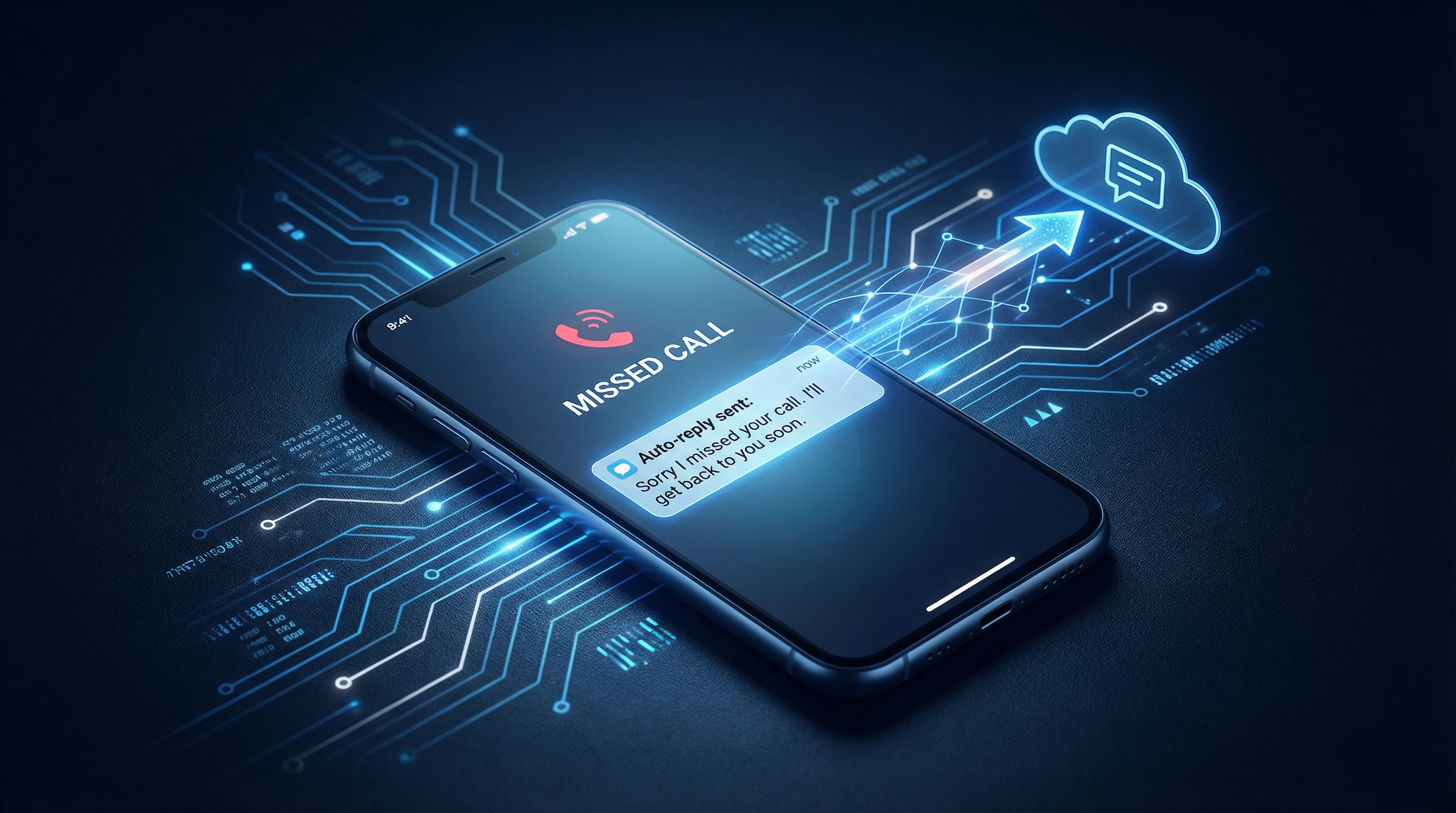
gohighlevel missed call text back setup
Master Your GoHighLevel Missed Call Text Back Setup: Never Lose Another Lead
A ringing phone that goes unanswered is more than just a missed call; it's a missed opportunity, a potential customer walking straight into your competitor's arms. For local service businesses—be it an HVAC company, a dental practice, or a roofing contractor—every single missed call translates directly into lost revenue. This isn't a hypothetical scenario; it's a daily challenge that costs businesses thousands. The solution? A properly configured GoHighLevel Missed Call Text Back setup.
This guide cuts through the noise, providing you with a direct, actionable blueprint to implement GoHighLevel's Missed Call Text Back automation in under 15 minutes. We'll cover the precise workflow configuration, message templates that actually convert, and critical timing settings to ensure your business recovers every possible lead and stops leaving money on the table.
Why Your Business Can't Afford to Miss a Call (and How GoHighLevel's Automation Recovers Them)
Consider your ideal customer: they have an immediate need—a burst pipe, a sudden toothache, a broken AC unit—and they are actively seeking a solution. When they call your business, they are in a high-intent buying moment. If you don't answer, they won't wait. They will, without hesitation, move on to the next business on their list.
Industry research consistently underscores the urgency of lead response. A seminal study by the Harvard Business Review revealed that businesses responding to leads within five minutes are an astonishing 21 times more likely to qualify them than those who wait 30 minutes or longer. After just one hour, the probability of successfully contacting that lead plummets by a factor of 10. For your business, this means every second truly counts.
This is precisely where the GoHighLevel Missed Call Text Back feature becomes an indispensable asset. It's far more than a mere convenience; it's a critical revenue recovery tool. When a call goes unanswered, this automation instantly dispatches a personalized text message. This message acknowledges the missed call and, crucially, provides an immediate, low-friction path for the customer to re-engage. This simple, automated touch ensures your business remains in contention, even when your team is tied up on another job, handling an emergency, or after regular business hours. It's about intercepting that customer's journey before they ever reach your competitor's voicemail.
So what? Imagine a busy plumbing service in a major city. They receive dozens of calls daily. Without Missed Call Text Back, even a 10% missed call rate could mean losing several high-value jobs each week. With GoHighLevel, those missed calls are immediately engaged, converting what would have been lost revenue into booked appointments. For a deeper dive into the power of rapid response, we encourage you to read our article on the 5-minute follow-up rule.
Essential Prerequisites for Your GoHighLevel Missed Call Text Back Setup
Before you even think about building out your GoHighLevel Missed Call Text Back workflow, you must ensure two foundational elements are firmly in place. Neglecting these steps is akin to building a house without a proper foundation—it will inevitably lead to frustration, wasted effort, and ultimately, a system that fails to deliver.
1. An Active GoHighLevel Account with a Connected Phone Number
This might seem self-evident, but it is the absolute first and most critical step. Your GoHighLevel account requires an active phone number that is fully capable of sending and receiving SMS messages. If you haven't yet configured this, navigate to Settings > Phone Numbers within your GoHighLevel dashboard. From there, you have two primary options: either port your existing business number (a process that typically takes 1-3 business days) or purchase a new one directly through GoHighLevel (which usually takes a mere 5-10 minutes). Without a functional phone number, your automated text messages will have nowhere to go, and your valuable missed call leads will remain just that—missed.
So what? Picture a bustling auto repair shop. A potential customer calls late in the evening about a flat tire. If your GoHighLevel number isn't properly set up, that call simply vanishes into the ether, and the customer is forced to call the next shop on their list. By ensuring your number is active and ready to communicate, you guarantee that every inbound call has a chance to be captured, even if you can't answer immediately.
2. Accurately Configured Business Hours
This is a frequently overlooked yet critically important detail. Your GoHighLevel Missed Call Text Back automation should only activate during your actual business operating hours. Sending an automated text at 2 AM to someone who inadvertently dialed your number creates a poor customer experience, wastes your valuable SMS credits, and can even generate negative sentiment towards your brand. GoHighLevel provides a straightforward way to define your business hours under Settings > Business Hours.
So what? Consider a dental practice. While a late-night missed call text regarding a genuine emergency might be appropriate, for a standard HVAC service, it's not. By meticulously configuring your business hours, you ensure that your automated responses are always timely, professional, and contextually relevant. This prevents awkward interactions, safeguards your brand's reputation, and crucially, stops your team from chasing leads that are not genuinely ready to engage during off-hours.
Step-by-Step GoHighLevel Missed Call Text Back Setup Guide
With your foundational elements now firmly in place, let's proceed with the precise, step-by-step instructions to configure your GoHighLevel Missed Call Text Back workflow. This isn't about generic, theoretical advice; it's about providing you with the exact blueprint necessary to effectively recover those previously lost leads and convert them into paying customers.
Step 1: Navigate to Automations and Select the Template
From your GoHighLevel dashboard, your first action is to click on Automations located in the left sidebar. This section serves as your central command center for all automated processes within the platform. Next, locate and click the Create Workflow button in the top right corner. GoHighLevel thoughtfully provides a pre-built "Missed Call Text Back" template. It is highly recommended that you select this template. Utilizing it offers a robust starting point, significantly reducing your setup time and minimizing the potential for critical errors. You will then customize this template to perfectly align with your specific business requirements and messaging.
So what? Choosing the template means you're not building from scratch. It's like having a pre-engineered framework for a building; you just need to add the finishing touches. This approach dramatically accelerates your setup process and reduces the likelihood of mistakes, enabling you to start recovering leads much faster.
Step 2: Configure the Missed Call Trigger with Business Hours Filter
The trigger is the absolute heart of your GoHighLevel Missed Call Text Back workflow—it's the event that initiates the entire automation. Since you've selected the template, the trigger should already be pre-set to Missed Call. However, it is paramount to confirm these settings and make a crucial adjustment.
- Trigger: Verify that this is indeed set to
Missed Call. - Filter: For the vast majority of local businesses, you can safely leave this set to
Any Number. However, if your business operates with multiple phone numbers and you wish to segment which specific calls activate this automation (e.g., a med spa might have one number for general inquiries and another for urgent appointments), you would then filter by the relevant phone number.
The most critical setting here is "Only trigger during business hours." You absolutely must enable this option. This setting directly references the business hours you meticulously configured in Settings > Business Hours. If you fail to enable this, your automation will fire indiscriminately at all hours, leading to the negative consequences discussed earlier (wasted credits, poor customer experience).
So what? Imagine a roofing company operating in a hurricane-prone region like Florida. A homeowner calls at 11 PM during a severe storm. If your business hours are correctly set and this filter is enabled, the automated text will only be dispatched during your operational hours, ensuring a professional and appropriate response. Without this filter, you risk sending texts at highly inconvenient times, which can not only annoy potential clients but also portray your business as unprofessional and out of touch.
Step 3: Optimize the Delay for Maximum Impact and Lead Conversion
Immediately following the Missed Call trigger, you are required to add a Wait step. This is not an optional configuration; it is a strategic imperative that profoundly influences your lead conversion rates. We unequivocally recommend a delay period of 30-60 seconds.
This brief, yet critical, pause serves two vital purposes:
- Allows for Manual Callback: It provides your internal team with a small, precious window to manually call the prospect back if they happen to notice the missed call notification immediately. This human, personal touch is almost always the preferred method of engagement and can significantly enhance the customer experience.
- Prevents Premature Texting: It meticulously ensures that the automated text message does not arrive before the caller has even had a chance to hang up their phone. Receiving a text while still actively on the line can be jarring, feel overly automated, and potentially lead to a negative first impression.
Why 30-60 seconds is the undisputed sweet spot: Extensive industry data consistently demonstrates that the optimal response time for engaging new leads is within the first minute. Waiting any longer means the prospect has, more often than not, already moved on to contact a competitor. A 30-second delay is perfectly calibrated: it's long enough to allow for a quick manual intervention but crucially short enough to capture the prospect while they are still in an active buying mindset, maximizing your chances of re-engagement.
So what? Consider a busy chiropractic office. A new patient calls, but the receptionist is currently assisting another client. If your system were to immediately send a text, it might feel impersonal and rushed. A carefully implemented 30-second delay allows the receptionist a brief opportunity to potentially call back. If not, the automated text arrives precisely as the patient is contemplating their next move, effectively keeping your practice top-of-mind and preventing them from seeking alternatives.
Step 4: Craft a Compelling and Human Missed Call Text Message
This step is arguably the single most crucial component of your entire GoHighLevel Missed Call Text Back setup. The default template message provided by GoHighLevel is inherently generic and will almost certainly fail to resonate effectively with your target audience. Your primary objective here is to replace that generic message with one that is highly specific to your business, genuinely human in tone, and unequivocally drives action.
Key elements of an effective missed call text message:
- Conciseness is King: Aim to keep your message under 160 characters. Messages exceeding this limit are often split into multiple SMS segments by carriers, which can be confusing for the recipient and incur additional costs for your business.
- Directly Acknowledge the Missed Call: Be explicit about why you are texting. This immediately provides context and reduces confusion.
- Offer a Clear, Easy Next Step: Guide the prospect on how to re-engage with your business. Make it as frictionless as possible.
- Maintain a Human Tone: Even though the message is automated, the language should feel conversational and empathetic, not robotic or corporate.
Example Template (adapt this precisely for your business and brand voice):
"Hi, this is [Your Business Name]. I just missed your call – I'll call you back shortly. Or reply here if it's easier. – [Your Name/Team Name]"
What to avoid at all costs (these are common pitfalls):
- Generic, Corporate Language: Phrases such as "Thank you for contacting [Business Name]. A representative will be in touch shortly" immediately scream "automation" and completely lack personal connection. People can spot these a mile away.
- Links in the First Message: This is a very common and detrimental mistake. Including links in the initial SMS from an unknown number can frequently trigger spam filters on mobile carriers, drastically reducing your message's deliverability. Always save links for subsequent follow-up messages after initial engagement has been established.
So what? For a local plumber, a text message crafted like, "Hey, this is John from Rapid Plumbers. Missed your call! I'll ring you back in a sec, or just text me here if it's urgent." feels genuinely personal and highly actionable. This directness fosters trust and actively encourages an immediate response, effectively transforming what would have been a missed opportunity into a potential, high-value job. Your message must convey that there is a real person ready and eager to help, not just an impersonal bot.
Step 5: Implement a Smart Follow-Up Branch for Enhanced Lead Nurturing
While sending a single text message is a good start, a strategically designed follow-up system is what truly maximizes your lead recovery and conversion rates. After the initial GoHighLevel Missed Call Text Back message, you are required to add a conditional branch to your workflow. This intelligent branching allows you to tailor your subsequent responses based on whether the prospect actually replies to your initial outreach.
Here’s the optimal way to configure this crucial step:
- If the contact replies within 10 minutes: Route them immediately to a "Replied" branch. This branch should be configured to perform two critical actions: first, it must instantly notify your sales team (via an internal notification, email, or even a direct call to a specific team member); second, it should automatically add the contact to an active pipeline stage within GoHighLevel. This signals to your team that this is a hot lead, actively engaged and ready for immediate, personalized human interaction.
- If the contact does not reply within 10 minutes: Implement a second follow-up text message. This message should be scheduled to send approximately 2 hours after the initial text and should offer a slightly different angle or value proposition. A highly effective example is: "Still here if you need us – just reply or call [your business phone number] when you're ready. We're here to help!"
This two-touch approach is not merely about persistence; it's about intelligently recognizing that people get busy and may have been momentarily distracted. A study by InsideSales.com strongly suggests that strategic persistence in follow-up can increase contact rates by over 20%. By integrating this second, well-timed touch, you significantly enhance the chances of re-engaging a prospect who might have otherwise been lost.
So what? Imagine a bustling dental office. A potential new patient calls, but misses the initial text due to a momentary distraction. However, they then see your second follow-up text two hours later during a quieter moment in their day. That second, gentle reminder could be precisely the nudge they need to book an appointment, whereas without it, they might have simply forgotten or moved on to another practice. This intelligent strategy transforms a potential lost lead into a confirmed, booked client.
Step 6: Ensure Your Team is Instantly Notified (Leveraging Internal Notifications)
While automation is undeniably powerful, it should never entirely replace crucial human oversight and intervention. After the initial GoHighLevel Missed Call Text Back fires, it is absolutely essential to ensure your internal team is immediately aware of this new, engaged lead. This is where the Send Internal Notification action becomes invaluable.
Add this action directly after the initial text message step in your workflow. Configure it to send a notification to your team through multiple channels, ensuring maximum visibility:
- SMS: To a specific team member's phone number (e.g., the sales manager or on-call technician).
- Email: To a dedicated sales inbox or directly to individual team members.
- GoHighLevel User Notification: This sends a notification directly within the GoHighLevel platform, ensuring team members actively using the system are alerted.
Your internal notification should be rich with vital information, providing immediate context for follow-up:
- The contact's full name.
- Their phone number.
- The precise time of the missed call.
- A direct, clickable link to their contact record within GoHighLevel, allowing for quick access to their history and details.
So what? For an HVAC company, receiving a notification like "New Missed Call Lead: Sarah Johnson (555-123-4567) called at 2:15 PM. Text sent. View contact: [link to GHL contact]" provides your sales team with immediate, actionable context. They can then review the automated conversation, understand the prospect's initial inquiry, and follow up with a personalized, informed call. This proactive approach ensures that no lead falls through the cracks, transforming a cold inquiry into a warm, engaged conversation.
Step 7: Rigorous Testing Before Going Live (The Non-Negotiable Step)
Never, under any circumstances, launch a new automation without first conducting thorough and rigorous testing. This is a non-negotiable step for your GoHighLevel Missed Call Text Back setup. A seemingly minor error in configuration can lead to significant missed opportunities, wasted resources, or, even worse, a severely compromised customer experience that damages your brand reputation.
Here is your comprehensive testing checklist to ensure flawless operation:
- Initiate a Test Call: Call your business number from a personal phone and allow it to ring until it goes to voicemail.
- Verify the Initial Text Message: Within 60 seconds (or your precisely configured delay period), you should receive the automated text message. Meticulously check that:
- The message arrives within the expected timeframe.
- The sender name or number is correct, familiar, and consistent with your branding.
- The message text reads naturally, is grammatically correct, and accurately reflects your intended brand voice.
- Test the "Replied" Follow-Up Branch: Reply to the initial text message. Confirm that your team receives the internal notification as configured and that the contact is correctly moved to the designated active pipeline stage within GoHighLevel.
- Test the "No Reply" Follow-Up Branch: Do not reply to the initial text message. Verify that the second follow-up text arrives precisely after the specified delay period (e.g., 2 hours).
- Confirm Internal Notifications: Double-check that all internal notifications (SMS, email, GoHighLevel user notifications) are firing correctly and contain all the necessary contact information for your team.
So what? Imagine a bustling salon. You've invested time in setting up your missed call text back, but a subtle typo in the message template makes it appear unprofessional or unreadable. Without thorough testing, every missed call would result in this flawed message, potentially driving away new clients before they even step foot in your door. Rigorous testing ensures your automation functions flawlessly from day one, safeguarding your reputation and maximizing your return on investment. It's about proactively identifying and rectifying potential issues before they negatively impact your bottom line.
Common Pitfalls to Avoid with Your GoHighLevel Missed Call Text Back
While the GoHighLevel Missed Call Text Back feature is an incredibly powerful tool for lead recovery, there are several common missteps that can significantly undermine its effectiveness. As a diligent business owner, you need to be acutely aware of these pitfalls to ensure your automation consistently delivers maximum ROI and a superior customer experience.
1. Neglecting Business Hours Filters (The 3 AM Text)
This is arguably the most frequent and, critically, the most easily avoidable mistake. Without properly configured business hours filters, your automated missed call texts will fire indiscriminately, even at highly inconvenient times like 3 AM. This is not merely annoying for potential customers; it actively wastes your valuable SMS credits and can foster profoundly negative perceptions of your business, making you appear inconsiderate or disorganized.
So what? Consider a specialized plumbing service. A homeowner calls late at night for an emergency, but it's outside your normal operating hours. An automated text at that moment, without a clear path for emergency service, can feel tone-deaf and unhelpful. By meticulously setting your business hours, you ensure your automated responses are always appropriate and professional. This allows you to direct urgent calls to a dedicated emergency line (if you have one) or simply acknowledge the call during business hours, maintaining a positive customer interaction.
2. Using Disconnected Phone Numbers (The Unfamiliar Sender)
Some businesses mistakenly use one phone number for inbound calls (e.g., a toll-free number displayed on their website) and a completely different, often local, number for outbound automated texts. This creates significant confusion and erodes customer trust. When a customer receives a text message from an unfamiliar number immediately after calling your business, they are far more likely to ignore it, delete it, or even mark it as spam, rendering your automation useless.
So what? Your customers expect seamless consistency. If a potential client calls your main business line, the automated text they receive from your GoHighLevel Missed Call Text Back should ideally originate from that exact same number, or at the very least, a clearly branded and instantly recognizable one. This continuity builds immediate trust and significantly increases the likelihood that your message will be opened, read, and acted upon. Always ensure the phone number that receives inbound calls is the same one configured to send your automated text responses.
3. Setting the Delay Period Too Long (The Lost Opportunity)
We previously emphasized the critical importance of the 30-60 second delay, but its significance warrants reiteration: you must not set the delay period too long. While a 5-minute delay might feel like a safe buffer, in the fast-paced world of lead generation, it is often already too late. Extensive research consistently demonstrates that the odds of successfully engaging a lead plummet dramatically after the first few minutes. In the race to connect with a high-intent prospect, every single second is precious.
So what? For a busy real estate agent, a lead calling about a new listing is highly likely to be calling multiple agents simultaneously. If your automated missed call text arrives a full 5 minutes later, that prospect has almost certainly already connected with a competitor who responded more quickly. Keeping the delay tight—between 30 to 60 seconds—ensures your business remains top-of-mind and provides you with the absolute best chance to re-engage before they move on. This isn't about being overly aggressive; it's about being optimally responsive when your customer's need is most urgent.
What to Expect After Implementing Your GoHighLevel Missed Call Text Back Setup
Once you have meticulously implemented and properly configured your GoHighLevel Missed Call Text Back workflow, you should anticipate a profound and positive transformation in your lead recovery rates and overall business efficiency. This isn't merely about preventing lost calls; it's about strategically optimizing your entire sales and customer engagement funnel.
Most businesses that successfully deploy this automation report a significant and measurable increase in their contact rate for missed calls, often observing a remarkable 20-40% improvement within the very first week of activation. The precise figures will naturally fluctuate based on your specific industry, your typical daily call volume, and the quality and personalization of your automated text messages. However, the fundamental principle remains universally true: proactive, immediate engagement consistently leads to superior outcomes.
So what? Let's contextualize this for a small service business. If your plumbing company typically misses 10 calls per day, and each qualified lead is conservatively valued at an average of $500 in service revenue, recovering even 20% of those missed calls translates to an additional $1,000 per day, or a staggering $30,000 per month, in potential, otherwise lost, revenue. This isn't some form of business magic; it's the direct, quantifiable impact of intelligent automation on your bottom line.
To gain a precise, concrete estimate of what this powerful automation could specifically mean for your unique business, we highly recommend utilizing our Missed Call Revenue Calculator. This invaluable tool allows you to input your specific industry, your average job value, and your weekly call volume to generate a personalized projection of the monthly revenue impact you can expect from implementing a robust missed call text back system. It is an incredibly powerful way to visualize and justify the tangible return on investment.
Beyond the direct financial gains, you will also experience a notable improvement in overall customer satisfaction. Prospects genuinely appreciate a quick and responsive interaction, even if it's automated. It sends a clear signal that your business is attentive, values their inquiry, and is committed to providing excellent service. This positive initial interaction can lay a strong foundation for a long-term, loyal customer relationship.
If you are keen to further enhance your automation strategy and significantly reduce customer no-shows, we strongly encourage you to explore our comprehensive guide on How to Automate Appointment Reminders and Cut No-Shows by 40%. By intelligently combining these powerful automation strategies, you can create an exceptionally efficient and highly effective system for managing all your critical customer interactions.
Conclusion: Stop Leaving Money on the Table – Implement GoHighLevel Missed Call Text Back Today
In the fiercely competitive landscape of local service businesses, every single missed call represents a tangible, lost opportunity. Your business's ability to respond with speed, professionalism, and genuine care directly dictates your financial success. The GoHighLevel Missed Call Text Back setup is not merely another automation feature; it is a strategic imperative, a non-negotiable tool that ensures you effectively capture and convert leads that would otherwise vanish into thin air.
By diligently following the comprehensive steps outlined in this guide, you have now equipped your business with an exceptionally powerful system designed to recover lost revenue, dramatically improve customer satisfaction, and meticulously streamline your entire lead management process. You have successfully moved beyond generic, passive responses to a dynamic system that feels personal, is proactively engaging, and consistently professional.
If you are truly ready to transform your missed calls into booked appointments and witness a substantial, measurable increase in your business's revenue, there is no better time than now to implement this proven strategy. Don't yet have GoHighLevel? You can effortlessly start your free trial of GoHighLevel today and immediately put this exact, high-impact system into action. Stop allowing valuable leads to slip through your fingers and start converting every single opportunity into tangible business growth.
Affiliate Disclosure: I am an independent HighLevel Affiliate, not an employee. I receive referral payments from HighLevel. The opinions expressed here are my own and are not official statements of HighLevel LLC.
Related Articles
Appointment No-Show Rates: Your Business's Silent Killer (and How to Stop It)
Stop losing revenue to appointment no-shows. This guide reveals the true cost, root causes, and a powerful 3-tier automated system to reduce your appointment no-show rates.
Stop Losing Business: Master Call Handling for Your Home Service Company
Stop losing leads. Master call handling for home services with our guide for HVAC, plumbing, & roofing. Learn to fix missed calls & boost your bottom line with GoHighLevel.
Your Phone is Ringing. Are Your GoHighLevel Call Workflows Ready?
Master GoHighLevel call workflows to capture every lead, automate follow-ups, and boost efficiency for your local service business. Optimize routing, recording, and analytics.