
The Silent Revenue Leak in Every Service Business
a potential client calls, eager for your service. You give them a quote, they say, "I'll think about it," and then... silence. They vanish. No call back. No email. Just gone. This isn't a hypothetical. This is the brutal reality for most local service businesses, hemorrhaging a staggering 20–40% of qualified leads. It's not about tough competition; it's about a simple, often overlooked failure to follow up. The undeniable truth? That lead almost certainly books with the business that actually bothers to stay in touch. (And trust us, we've seen this pattern repeat countless times.)
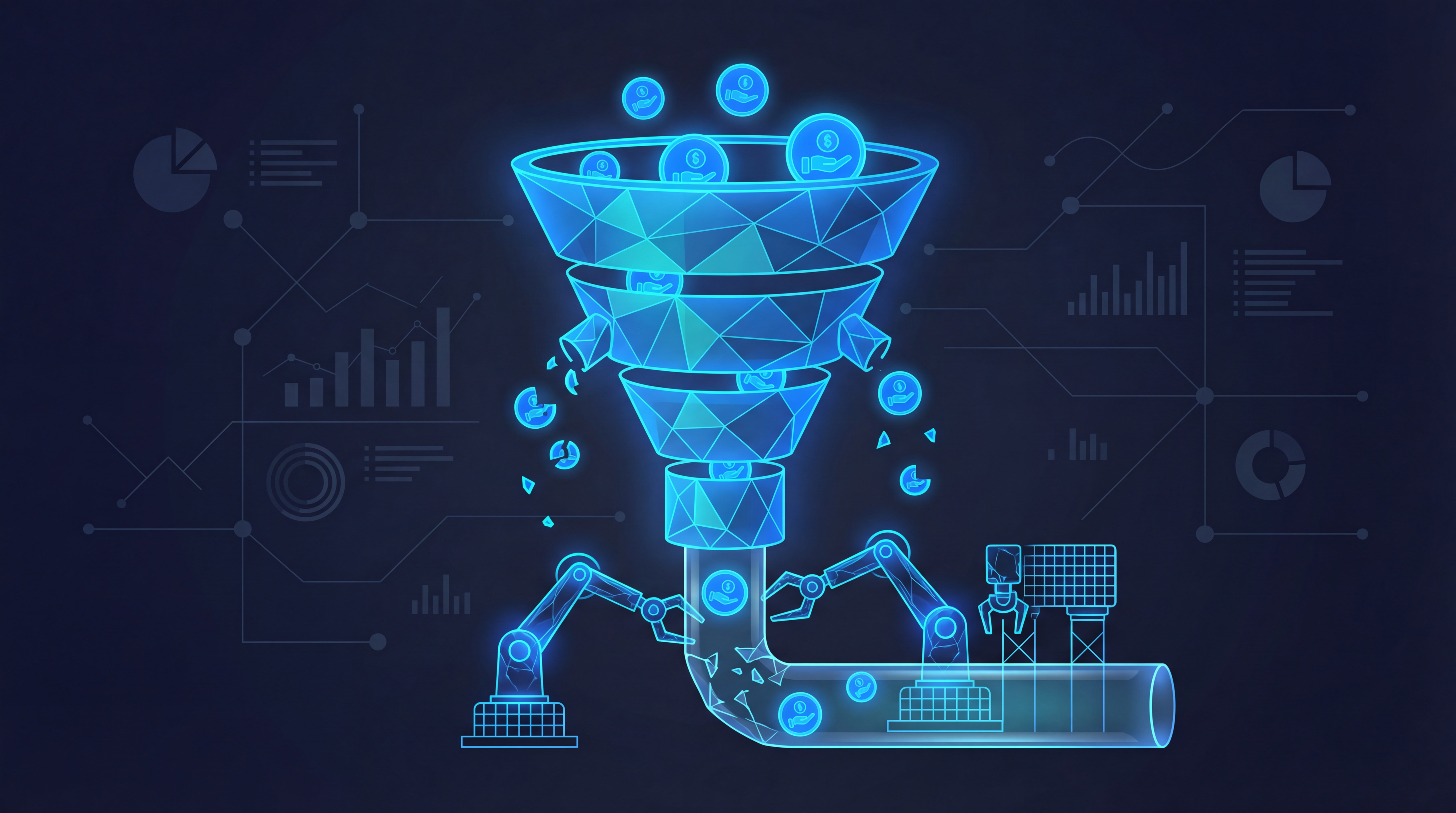
This, my friends, is the insidious pipeline leak problem. And let's be crystal clear: it's not a sales problem. It's a fundamental systems problem. We built GoHighLevel's pipeline management feature specifically to plug this very leak. Why not use our Pipeline Leakage Calculator to quantify how much revenue your current pipeline actually bleeds? You might be surprised (and a little horrified).
What GoHighLevel's Pipeline Feature Actually Does
GoHighLevel's pipeline isn't just some static, dusty CRM. Oh no. It's a dynamic, visual Kanban board. Every single lead gets a card, a little digital avatar, that moves through carefully defined stages as they inch — or sometimes sprint — closer to becoming a paying customer. The real magic, the thing that makes us genuinely excited? We deeply, intimately connected it to GoHighLevel's powerful automation engine. Here's what most people get wrong about pipeline management: they think it's just about tracking. But with GoHighLevel, every stage transition, every little drag-and-drop, can kick off an automatic action. (Think about the time you'll save!) Here's what we're talking about:
Pipeline stages. You can, and should, customize these stages to perfectly mirror your actual sales process. For a typical local service business, we often see a flow like this: New Lead → Contacted → Quote Sent → Follow-Up → Booked → Completed → Won/Lost. (It’s a clear path, isn’t it?)
Opportunity cards. Every lead gets its own card, a mini-dossier, if you will, packed with contact info, the deal's potential value, the last time you touched base, and any relevant notes. These aren't static entries; they move! You drag them manually, or they shift automatically based on how your contact interacts. (Pretty slick, right?)
Stage-based automation. When a card shifts to a new stage, GoHighLevel doesn't just sit there. Oh no. It can automatically fire off a message, create a task for your team, ping a specific team member, or even trigger an entire, complex workflow. This is where your pipeline transforms from a mere tracking tool into an absolute revenue-generating powerhouse. (It's like having a tireless assistant, isn't it?)
Pipeline reporting. GoHighLevel doesn't just show you pretty cards; it gives you the cold, hard numbers. We're talking pipeline value by stage, conversion rates between stages (where are you winning, where are you losing?), the average time a lead spends in each stage, and your total pipeline value. This is the critical data you need to pinpoint precisely where those valuable leads are falling through the cracks. (Knowledge is power, after all.)
Building Your Pipeline Stages
Here's a common pitfall we see all the time: businesses creating far too many stages. (It's an understandable impulse, wanting to track everything.) But more stages, we've learned, inevitably mean more friction, and that, my friends, leads to less consistent use. From our experience, the sweet spot for a local service business's optimal pipeline usually hovers around 5–7 stages. Why complicate things, right? For example, a plumbing company might have stages like 'New Lead,' 'Contacted,' 'Quote Sent,' 'Follow-Up,' 'Booked,' 'Completed,' and 'Won/Lost.'
Stage 1: New Lead. This stage is exclusively for any new contact you haven't yet reached. The crucial trigger here? An automatic workflow fires off an initial SMS and email within a blistering 60 seconds. Speed is absolutely everything in lead conversion. (Seriously, every second counts.) Imagine a potential client searching for 'emergency plumber' – they won't wait hours for a response.
Stage 2: Contacted. The lead actually responded to your initial outreach. Fantastic! This immediately triggers a notification to you or your sales team. What's next? Schedule that call, or get that quote out the door. (Don't let them wait!) For instance, if they replied to your SMS, your team gets an instant alert to call them back.
Stage 3: Quote Sent. You successfully delivered the estimate or proposal. Now what? This stage triggers a smart 24-hour follow-up SMS. It's simple, direct: "Just following up on the quote I sent — any questions?" (A gentle nudge often works wonders.) This prevents the quote from getting lost in their inbox.
Stage 4: Follow-Up. The lead saw the quote, but they haven't committed yet. () This is where the magic of automation kicks in. It triggers a strategic 3-day follow-up sequence: an SMS on day 3, a well-crafted email on day 5, and a final SMS on day 7. We've seen it time and again: persistence, when automated, pays off. Think of it as gently reminding them without being pushy.
Stage 5: Booked. You officially scheduled the appointment or job. Excellent! This automatically activates your pre-built appointment reminder sequence. (No more missed appointments, we hope!) For a cleaning service, this might be an SMS reminder 24 hours before the appointment.
Stage 6: Completed. You completed the job. Time to celebrate (briefly)! This triggers your review request workflow automatically. What's the goal? To get those glowing testimonials, of course! (They're pure gold for your business.) A satisfied customer is often happy to leave a review if prompted.
Stage 7: Won/Lost. This is the final disposition. If it's a "Won," it immediately triggers your referral request workflow. (Because happy customers mean more customers, right?) If, however, it's a "Lost," it doesn't just disappear. It kicks off a smart 30-day re-engagement sequence. Why? We believe you shouldn't let a lost lead stay lost forever. (There's always a chance to win them back.) Perhaps a special offer for a service they initially declined.
The Follow-Up Sequence That Closes Deals in the Cracks
Here’s the highest-value automation you can implement in GoHighLevel’s pipeline. (And trust us, we’ve seen a lot of automation.) We’re talking about the Quote Sent → Follow-Up sequence. Most businesses, frankly, send a quote and then just… wait. They cross their fingers, hoping for a response. GoHighLevel, however, fundamentally changes that. It automates the follow-up, ensuring no quote ever goes cold without at least three crucial, well-timed touchpoints. (It’s a significant advantage,.)
Day 0 (quote sent): An automatic SMS goes out. It’s simple, direct, and immediate: "Hi [first name], I just sent over your quote for [service]. Let me know if you have any questions!" (We believe in cutting straight to the chase.)
Day 1: An automatic email follows, with the quote conveniently attached and a crystal-clear call-to-action to book. We make it ridiculously easy for them to say yes. (No friction, no fuss.)
Day 3: Another SMS arrives: "Just checking in on the quote — we have a few openings next week if you'd like to get scheduled." It’s a gentle nudge, yes, but also a subtle hint of scarcity and availability. (Psychology, folks, it works.)
Day 5: An email with a specific offer or perhaps a seasonal promotion, if it genuinely makes sense for your business. The goal? Give them that little extra incentive to move forward. (Who doesn’t love a good deal?)
Day 7: The final SMS. This one’s a polite, no-pressure close that, surprisingly, often works wonders: "I don't want to keep bothering you — just wanted to make sure you got everything you needed. We're here when you're ready." (It respects their space, and that builds trust.)
This 7-day sequence isn't just busywork; We’ve seen it consistently recover a remarkable 15–25% of quotes that would have otherwise vanished. Let’s put that into perspective: an average plumbing shop sending 20 quotes a month, each with a $500 job value, recovers just 3–5 additional jobs per month. That translates to an extra $1,500–$2,500 in pure, undeniable revenue. All from one automation sequence. (That’s not just numbers; that’s real money in your pocket.)
Pipeline Reporting: What to Track Weekly
GoHighLevel's pipeline reporting isn't just a jumble of numbers; it’s a treasure trove. You should keep a hawk’s eye on four critical metrics every single week. (Seriously, don't skip this part.)\n\nPipeline value by stage. Pipeline value by stage shows exactly how much potential revenue currently sits, waiting, in each stage. For instance, if your "Quote Sent" stage holds a cool $15,000 in pipeline value and your close rate from that stage is a solid 30%, you're looking at a predictable $4,500 in expected revenue from that stage alone. This isn't just data; it helps you forecast, prioritize, and sleep a little better at night. (It’s like having a crystal ball, but for your sales.)
Stage conversion rates. What percentage of leads actually make the leap from one stage to the next? This is your stage conversion rate. If your New Lead → Contacted conversion is a dismal 40% but the industry average is closer to 65%, you know your initial outreach speed or message needs a serious, immediate overhaul. (Don't ignore these red flags!)
Average time in stage. How long do leads sit there, gathering digital dust, before they either move forward or, worse, drop out entirely? A long dwell time in "Quote Sent" screams, and we mean screams, "follow-up problem." A prolonged stay in "Contacted" often points directly to a quoting issue. These insights are pure gold. (They tell you exactly where to focus your efforts.)
Lost reason tracking. Don't just mark a deal as lost and move on. That's a missed opportunity! Instead, tag every lost deal with a specific reason: Was it price? Timing? Did they go with a competitor? Or was there simply no response? After a month or two, you'll start seeing clear, undeniable patterns emerge. These patterns directly inform your pricing strategy, help you refine your follow-up timing, and sharpen your competitive positioning. It's how we learn, adapt, and win more. (This is continuous improvement in action.)
Want a complete, no-holds-barred breakdown of GoHighLevel's platform costs? Check out our GoHighLevel pricing breakdown. We don't just list prices; we lay out exactly what you get for your hard-earned money. (No hidden fees, just transparency.)
Frequently Asked Questions
How is GoHighLevel's pipeline different from a spreadsheet?\nLet's be honest: a spreadsheet is passive. You update it manually, and it just sits there, gathering digital dust. GoHighLevel's pipeline, however, is anything but passive. It's active. It triggers automations, sends messages, notifies your team, and reports on performance based on where each deal is in the pipeline. The key difference, the significant advantage, is that automation layer. It literally does the work for you. (Why do it yourself if a machine can do it better?)
Can multiple team members use the same pipeline?\nAbsolutely. GoHighLevel was built from the ground up with teams in mind. It supports solid role-based access, so you can assign leads to specific team members and track individual performance, all within the same unified pipeline. No more siloed efforts, no more confusion. (Teamwork makes the dream work, right?)
How do I handle leads that go cold for 30+ days?\nHere's a pro tip: set up a "Dormant" stage specifically for leads that haven't budged in 30 days. When a lead enters this stage, don't just let them languish. Trigger a targeted re-engagement sequence. This isn't part of your main sales pipeline; think of it as a dedicated recovery workflow for those leads that initially slipped through the cracks. Don't give up on them too soon. (Every lead has potential, even the sleepy ones.)
Does GoHighLevel integrate with my existing quoting software?\nGoHighLevel plays incredibly well with others. It integrates smoothly with many popular quoting and field service tools, either through Zapier or solid native integrations. For businesses already using powerhouses like ServiceTitan, Jobber, or Housecall Pro, these integrations are a godsend. They allow you to trigger GoHighLevel automations directly from job status changes within those platforms. (Talk about streamlining your entire operation!)
What's the biggest pipeline management mistake?\nthe single biggest, most detrimental mistake is inconsistent use. A pipeline, any pipeline, is only effective if every single lead is entered, and every stage transition is meticulously logged. Businesses that cherry-pick which leads go into the pipeline inevitably end up with incomplete data and, predictably, inconsistent follow-up. Our advice: Commit to entering every lead, every single time. No exceptions. Your revenue, quite frankly, depends on it. (It's non-negotiable.)
Before investing in any CRM or automation platform, run the numbers with the free CRM ROI Calculator to see your projected return based on your current lead volume and close rate.