
Missed calls are not just missed chances — they are lost revenue with a price tag you can calculate to the dollar. A plumber missing three calls a day at an average job value of $280 is walking away from $840 daily. Over a year, that is more than $250,000 evaporating because nobody picked up the phone. Most local service businesses cannot justify a full-time receptionist. But with automated call routing, you can build a system that catches every call, pre-qualifies leads, and sends customers to exactly the right person — without adding a single person to payroll.
This guide shows you how to build that system using GoHighLevel. You will get step-by-step instructions, real examples for HVAC, dental, and other service businesses, and a clear picture of what each routing method actually does in practice.
What Automated Call Routing Is — And Why It Matters
Automated call routing is the system that decides where an incoming call goes before a human ever touches it. It is not a voicemail box. It is not a hold queue. It is an intelligent layer between the caller and your team that routes based on rules you define: time of day, caller input, agent availability, or skill set.
For a plumbing company, that means emergency calls go straight to the on-call technician while billing questions route to the office manager. For a dental practice, new patient inquiries go to the front desk while existing patient calls about treatment plans route to the clinical coordinator. The caller reaches the right person on the first attempt. Your team handles calls they are actually equipped to handle. Nobody falls through the cracks.
The business case is not subtle. Research from LeadResponseManagement.org found that responding to a lead within five minutes makes you 21 times more likely to qualify that lead than if you wait 30 minutes. Automated routing does not just improve the experience — it compresses your response time to near zero. The first business to respond wins the job in most local service categories, and routing automation is how you win that race consistently.
The 4 Call Routing Methods Your Business Needs
Most businesses find that a combination of two or three routing methods covers the majority of their call scenarios. Here is what each one does and when to use it.
1. Round Robin Routing: Distributing Volume Fairly
Round robin routing cycles through your available team members in order, assigning each new call to the next person in the rotation. No single agent gets buried while others sit idle. This works best for general inquiries and sales teams where any team member can handle the call equally well.
A roofing company with three sales reps using round robin routing ensures that a storm surge of inbound calls gets distributed evenly. Each rep stays fresh, response times stay consistent, and no lead waits longer than necessary because one rep happened to be the default recipient.
2. Skills-Based Routing: Matching Calls to Expertise
Skills-based routing sends calls to the team member with the specific knowledge the caller needs. According to a Salesforce study, 72% of customers say having to explain their issue to multiple people is a mark of poor service. Skills-based routing eliminates that problem at the source.
A dental practice using skills-based routing sends orthodontic inquiries to the orthodontic coordinator, insurance questions to the billing team, and emergency pain calls to the clinical staff. The caller gets an expert on the first connection. The practice reduces transfer rates and the frustration that comes with them.
3. Time-Based Routing: Handling After-Hours Intelligently
Time-based routing changes where calls go based on the time of day or day of the week. During business hours, calls reach your live team. After hours, they route to a voicemail, an AI receptionist, or an on-call line depending on urgency.
This is where most local service businesses lose the most revenue. A homeowner whose pipe bursts at 10 PM is not going to wait until 8 AM to find a plumber. If your after-hours routing sends that call to a generic voicemail, you have lost that job. If it routes to an AI receptionist that captures the lead, confirms the emergency, and sends a text confirmation — you have kept it.
GoHighLevel's Voice AI integrates directly with time-based routing to handle exactly this scenario. You can read more about how that works in our GoHighLevel Voice AI setup guide.
4. IVR Menus: Letting Callers Self-Route
Interactive Voice Response (IVR) menus present callers with options — "Press 1 for new appointments, Press 2 for existing patients, Press 3 for billing" — and route based on their selection. When designed well, IVR menus reduce transfer rates and give callers a sense of control over the interaction.
The key word is "designed well." IVR menus with too many layers, confusing options, or no escape route to a live person create frustration. The best IVR setups for local service businesses have three to five options maximum, a clear path to a human at any point, and a fallback that captures the lead if no option is selected.
How to Build This in GoHighLevel
GoHighLevel handles all four routing methods through its Phone System and Workflow Builder. Here is the practical setup sequence.
Step 1: Set up your phone number. In GoHighLevel, navigate to Settings > Phone Numbers and provision a local or toll-free number. This becomes the number you publish on your website, Google Business Profile, and ads.
Step 2: Configure your call flow. Under Phone Numbers, select your number and open the Call Flow editor. This is where you define what happens when a call comes in — IVR menu, direct routing, round robin, or time-based rules.
Step 3: Build your IVR or routing rules. For IVR, add a "Gather Input" step with your menu options and connect each option to the appropriate team member or group. For round robin, create a Call Group under Settings > Teams and assign your agents. For time-based routing, use the "Time/Day" condition in the call flow to branch between business hours and after-hours paths.
Step 4: Set up the after-hours path. This is the step most businesses skip. Connect your after-hours branch to either a voicemail-to-text workflow (which sends the transcribed message to your team via SMS) or to GoHighLevel's Voice AI for live AI-handled after-hours calls.
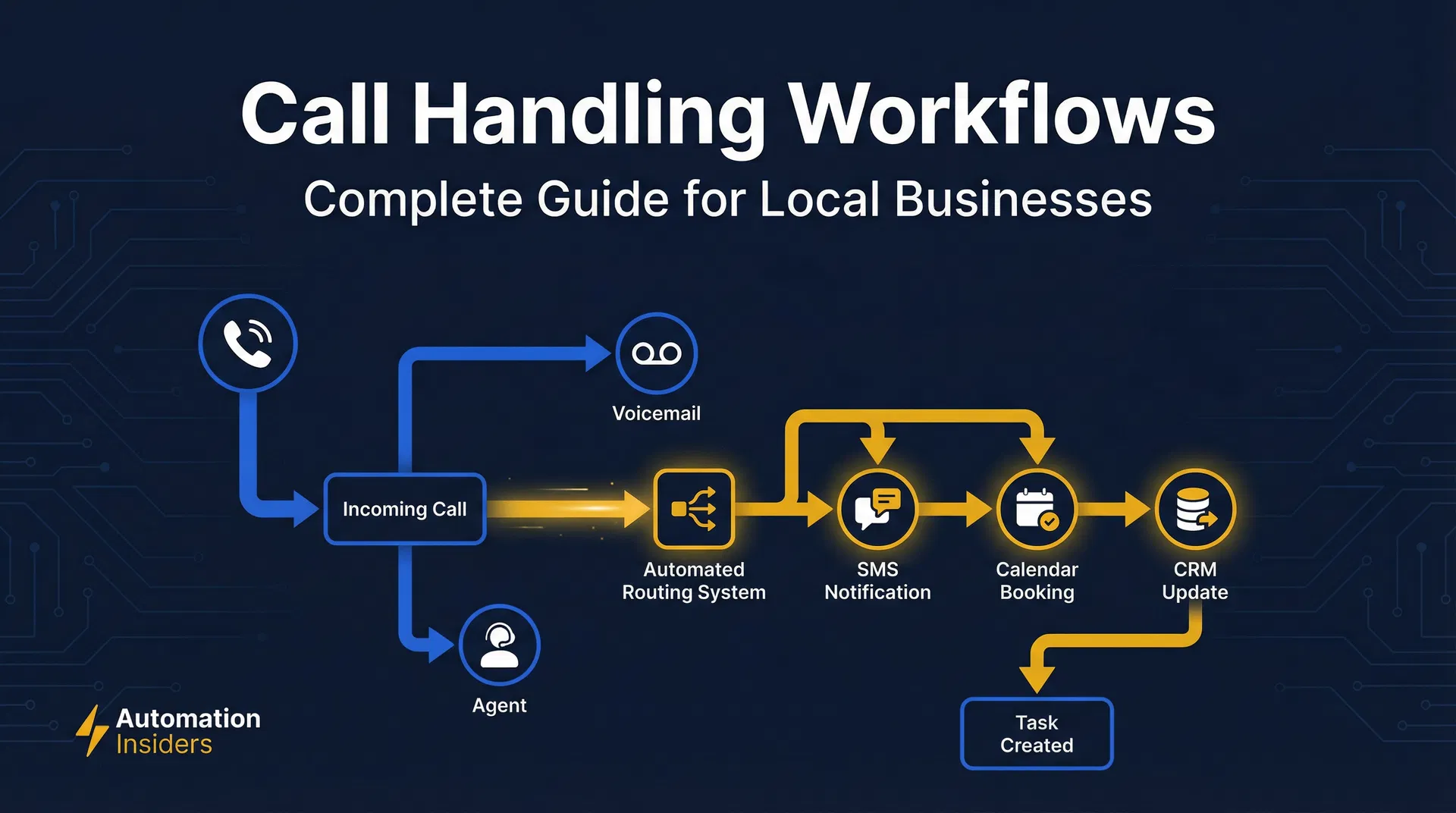
Step 5: Connect to your CRM workflows. Every missed call or voicemail should trigger a workflow in GoHighLevel that sends an automatic text-back to the caller, creates a contact record, and assigns a follow-up task to a team member. Use our missed call text-back setup guide for the exact workflow configuration.
Real-World Setup Examples
HVAC Company: Calls during business hours route to a round robin among three dispatchers. After 6 PM and on weekends, calls route to an IVR: "Press 1 for emergency service, Press 2 to schedule a non-emergency appointment." Emergency calls forward to the on-call technician's mobile. Non-emergency calls go to a voicemail-to-text workflow that notifies the dispatcher via SMS and triggers an automatic text-back to the caller within 90 seconds.
Dental Practice: Calls route through an IVR with four options: new patient scheduling, existing patient questions, billing, and dental emergencies. New patient calls go to the front desk during hours and to a lead capture voicemail after hours. Emergency calls route directly to the on-call dentist's mobile at all hours. Billing calls route to the office manager and have a fallback voicemail if unavailable.
Law Firm: All calls during business hours route to a receptionist. After hours, an IVR offers two options: existing clients press 1 to reach the attorney on call, new client inquiries press 2 to leave a message. The new client voicemail triggers an automatic text-back and creates a lead record in GoHighLevel for follow-up the next morning.
The Revenue Impact of Getting This Right
The numbers are not abstract. A home services business receiving 20 calls per day with a 25% missed call rate is missing five calls daily. If the average job value is $400 and the close rate on answered calls is 40%, each missed call costs roughly $160 in lost revenue. Over a month, that is $4,800. Over a year, $57,600 — from a problem that a properly configured call routing system eliminates almost entirely.
Use our missed call revenue calculator to run the exact numbers for your business based on your call volume, average job value, and current missed call rate. The output will show you the monthly and annual revenue you are leaving on the table and what it would take to recover it.
Common Mistakes to Avoid
Routing to a single person. If all calls go to one team member and that person is unavailable, every call becomes a missed call. Always build a fallback path.
No after-hours strategy. Time-based routing without an after-hours plan is just a fancy way to miss calls after 5 PM. Build the after-hours path before you launch.
IVR menus with too many options. More than five options and callers start hanging up. Keep it simple and always include a path to a live person or a lead capture.
Skipping the CRM connection. Routing a call correctly is only half the job. If the call does not create a contact record and trigger a follow-up workflow, you are still losing leads — just later in the process.
Getting Started
GoHighLevel's call routing system is included in all plans starting at $97/month. For most local service businesses, the revenue recovered from the first week of proper after-hours routing covers the monthly cost entirely.
If you are evaluating whether GoHighLevel is the right platform for your business, read our full GoHighLevel review for an honest breakdown of what it does well, where it falls short, and who it is actually built for.
Automated call routing is not a luxury feature. For any local service business that depends on inbound calls for revenue, it is the difference between a business that captures every opportunity and one that funds its competitors by sending callers to voicemail.