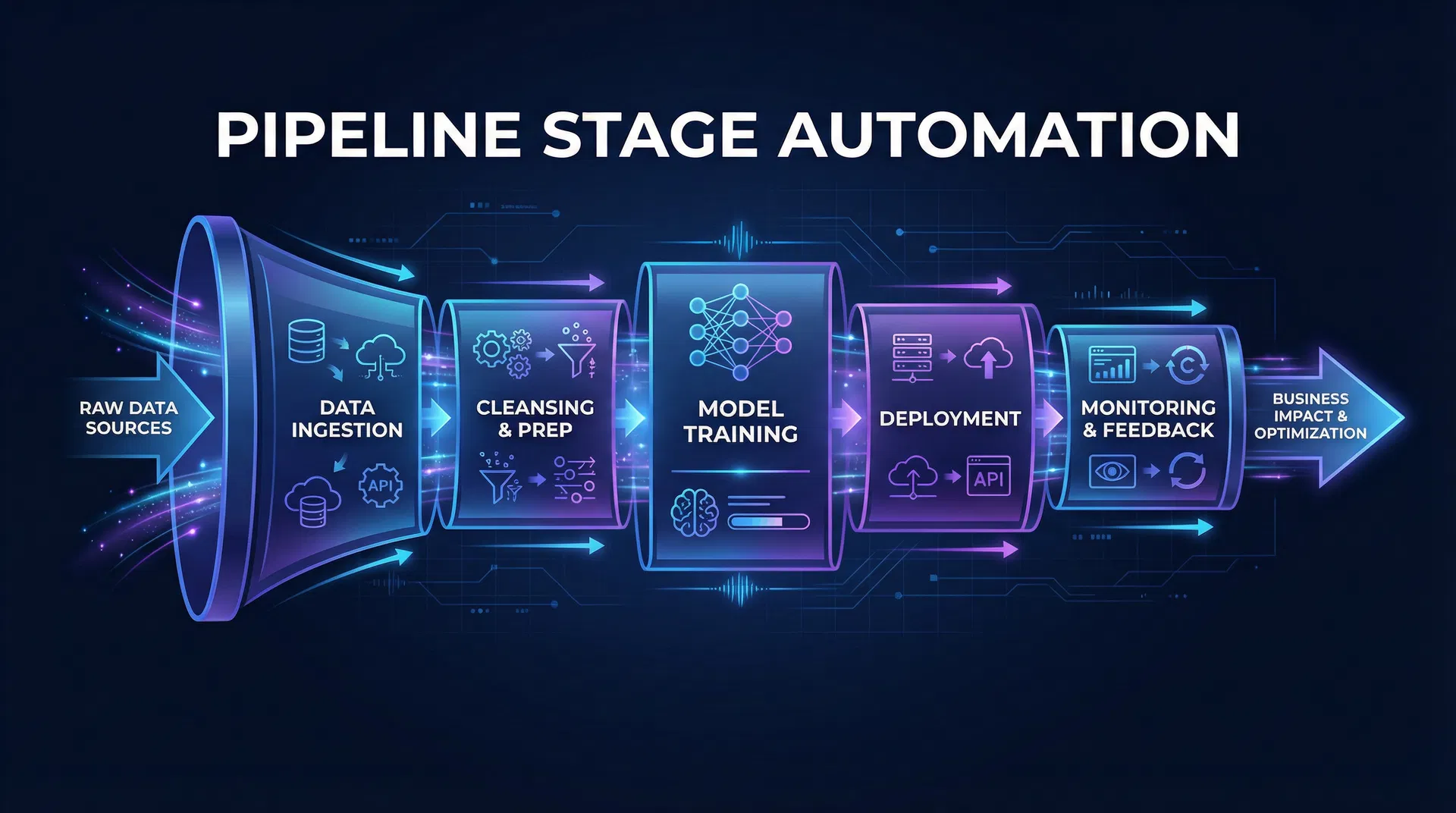
When a new lead lands in your GoHighLevel CRM, it's full of potential. But instead of you doing a bunch of manual tasks—like sending an intro email, scheduling a follow-up call, or updating their status—your system can just handle it. It guides them through your sales process without you lifting a finger.
This isn't some futuristic dream. It's what GHL Pipeline Stage Automation does. It's a huge help for local service businesses that are swamped with paperwork. It turns your sales pipeline from a static list into a dynamic, self-managing engine. This means no lead ever gets lost, no follow-up is missed, and you get the most out of every opportunity. Ready to make your pipeline a money-making machine?
What is GHL Pipeline Stage Automation and Why Does It Matter?
GHL Pipeline Stage Automation is all about setting up automatic actions that kick in when a contact moves from one stage to another in your GoHighLevel sales pipeline. Think of your pipeline as a journey your potential customer takes, from first showing interest to becoming a paying client. Each stage—new lead, contacted, estimate sent, booked, completed—is a big step.
Automation makes sure that as soon as a contact hits one of these milestones, the right tasks, notifications, and follow-up messages go out automatically. This keeps things moving.
Why is this so important for local service businesses?
In the local service world, speed is everything. A quick follow-up can be the difference between getting a client and losing them to a competitor. Automation makes sure you respond instantly and keep engaging with leads. This makes every lead feel important and taken care of, so your business never misses a beat.
Plus, managing leads by hand takes a ton of time. By automating tasks like sending welcome emails, assigning jobs to your team, or sending appointment reminders, businesses can work faster and save time. This frees up your staff to focus on helping clients and closing deals.
It also gives customers a consistent experience. Every lead gets the same high-quality messages, no matter who on your team handles them. This builds trust and makes you look professional. Automation also helps cut down on human error, like forgotten emails or missed follow-ups, which can cause big problems.
As your business grows and you get more leads, automated pipelines scale easily. You can handle more leads without needing to hire a ton more admin staff. Finally, by sending timely and relevant messages at every stage, you naturally nurture leads better. This leads to more conversions and a healthier bottom line. This is a key part of [automation workflows that move revenue](/blog/gohighlevel-automation-workflows-that-move-revenue).
Step-by-Step Setup Inside GoHighLevel
Setting up pipeline stage automation in GoHighLevel is pretty straightforward, but you need to know your sales process inside and out. Let's break it down.
1. Define Your Pipeline Stages
Before you automate anything, you need a clear pipeline. Go to Opportunities > Pipelines in your GHL account. If you don't have one, create a new pipeline. Name your stages clearly so they show the journey your clients take. Common stages often include New Lead (first inquiry, no contact yet), Contacted (first touchpoint by call, email, or text), Estimate Sent (proposal or quote delivered), Booked (appointment or service scheduled), and Completed (service done, payment received).
2. Create Your Workflow
This is where the magic happens. Go to Automation > Workflows and click Create Workflow.
3. Choose Your Trigger: Pipeline Stage Changed
Select Start from Scratch and then Add New Workflow Trigger. Search for Pipeline Stage Changed. This is the main part of your automation. Set it up by filtering In Pipeline to is [Your Pipeline Name] and Pipeline Stage to is [Specific Stage Name, e.g., New Lead]. This trigger tells GHL: “When a contact enters this specific stage in this specific pipeline, do these actions.”
4. Add Actions for Each Stage
Now, for each pipeline stage, you'll add a series of actions that happen automatically. Let's look at some common examples:
Stage: New Lead
When a contact first enters the New Lead stage, you want to make a great first impression and make sure they don't get away. This is often where a missed call text-back setup guide can be super helpful, making sure you engage right away even if you can't answer the phone. For this stage, you might send a welcome email or SMS right away, like: “Hey [Contact.FirstName], thanks for reaching out to [Your Company Name]! We got your inquiry and will be in touch soon. In the meantime, check out our services here: [Link to Services Page].” Also, assign a task to your sales team for follow-up, for example: “Call [Contact.FullName] - New Lead Follow-up” assigned to [User.SalesTeamMember], due in +1 day. Finally, send an internal notification to the right team members, like: “New Lead: [Contact.FullName] just entered the pipeline!” to [User.SalesManagerEmail].
Stage: Contacted
Once your team has made initial contact, the goal is to move the lead to the next step. Actions here could include updating the contact tag to “Contacted” for better organization. If no appointment is booked right away, schedule a follow-up sequence, maybe 2-3 emails over a week, to give more value and encourage engagement. It's also important to remove them from any “New Lead” nurture campaigns so they don't get duplicate messages.
Stage: Estimate Sent
This is a crucial stage where a decision is often being made, and your automation should help with this. A few days after sending the estimate, send a follow-up email with helpful content, such as: “Just checking in on your estimate from [Your Company Name]. We’re confident in our [Service Benefit 1] and [Service Benefit 2]. Let us know if you have any questions!” At the same time, create a follow-up task to remind your sales team to reach out if they haven’t heard back within a week, for instance: “Follow up on [Contact.FullName]’s estimate” assigned to [User.SalesTeamMember], due in +7 days. Think about adding a conditional path for no response, moving them to a “Nurture” pipeline or starting a different follow-up sequence if they don't reply.
Stage: Booked
Congrats! The lead has booked. Now, focus on preventing no-shows and getting them ready for the service. This is where how to reduce no-shows becomes super important. For this stage, send a confirmation and preparation email/SMS with booking details and instructions before the service, like: “Your appointment with [Your Company Name] is confirmed for [Appointment.Date] at [Appointment.Time]. Here’s what you need to know before we arrive: [Link to Prep Guide].” Also, set up a series of automated appointment reminders (e.g., 24 hours before, 1 hour before) via SMS and email. You can also automatically add the appointment to your team’s Google Calendar and send an internal notification to the service team about the upcoming appointment.
Stage: Completed
The service is done. Now, focus on making clients happy, getting reviews, and possibly selling more. Start by sending a thank you and review request, a personal message with a direct link to leave a review, such as: “Thank you for choosing [Your Company Name]! We hope you loved our service. Would you mind leaving us a quick review here? [Link to Google My Business/Yelp].” Also, create an internal task for follow-up for a team member to check in after a few weeks to make sure they're happy or to offer related services. Finally, add the client to a customer nurture sequence to encourage repeat business or referrals.
5. Test Your Workflow
This is critical: test every single path and action. Create a fake contact and move them through each stage to make sure everything works as it should. You absolutely cannot skip this step!
Common Mistakes to Avoid
Even with good intentions, automation can go wrong. This can lead to frustration and missed chances if you don't set it up carefully. To avoid common problems and make sure your GHL pipeline automation helps your business, keep these key points in mind:
Over-Automation: A common trap is to automate just for the sake of it. Every automated step should have a clear purpose and actually help the customer or your internal processes. Sending too many messages or triggering actions that don't make sense can quickly overwhelm leads. This makes your messages feel like spam and impersonal. Focus on smart automation that makes the customer experience better, not worse.
Lack of Personalization: Generic, templated messages get ignored easily these days. Use GoHighLevel’s powerful custom values to personalize every message. A simple [Contact.FirstName] or [Company.Name] can go a long way in making your messages feel custom and relevant. This significantly boosts engagement. Remember, even automated messages should sound like they're from a real person.
Forgetting Internal Notifications: Your team is a huge part of your sales process. If they don’t know about important lead movements or what they need to do, the whole automation can fall apart. Make sure internal notifications are set up perfectly to tell the right team members when a lead enters a new stage, needs a call, or needs a specific action. This keeps everyone informed and ensures someone steps in when needed.
Not Testing Thoroughly: I can't say this enough. Broken automation can do more harm than good. It can lead to lost leads, frustrated customers, and wasted effort. Before you launch any workflow, create fake contacts and carefully test every single path, action, and condition. Check that emails are sent, tasks are assigned, tags are applied, and leads move correctly through each stage. Think of it as quality control for your sales process.
Ignoring the Human Touch: Automation should support human interaction, not completely replace it. While being efficient is key, there are times in the customer journey when a personal call, a custom email, or a direct message from a team member is incredibly valuable. Understand when to let automation handle the routine stuff and when to step in with a real human connection. The best systems mix automation with genuine personal engagement.
No Clear Exit Strategy: What happens when a lead stops responding or clearly isn't a good fit? Without a clear exit plan, these leads can just sit in your pipeline, getting irrelevant messages forever. Design your workflows with ways to move unresponsive leads to a long-term nurture sequence, mark them as lost, or remove them from active campaigns. This keeps your pipeline clean, your team focused, and your messages relevant.
Real-World Results: The Power of a Smooth Pipeline
Businesses that set up solid GHL Pipeline Stage Automation often see big improvements across the board. For example, a local HVAC company that switched from tracking leads manually on a spreadsheet to GHL pipeline automation saw a 25% increase in appointment bookings due
to faster follow-up and automated reminders, leading to fewer leads falling through the cracks. They also observed a **15% reduction in no-shows** as automated reminders significantly improved attendance rates for scheduled estimates and service calls. This efficiency translated into **10+ hours saved per week** in administrative tasks related to lead management, freeing up staff for higher-value activities. this led to **improved customer satisfaction** and more positive reviews due to consistent communication. This isn't just about saving time; it's about creating a predictable, scalable system that drives revenue. For a deeper dive into how GHL can transform specific industries, consider exploring resources like [GHL for HVAC](/blog/gohighlevel-for-hvac-companies) or [GHL for dental offices](/blog/gohighlevel-for-dental-offices-features-pricing-setup).If you're looking to supercharge your business operations and see what GoHighLevel can do for you, consider exploring their platform. It's an all-in-one tool that empowers businesses to streamline their marketing, sales, and customer service. Check it out and see if it's the right fit for your needs: https://www.gohighlevel.com/?fp_ref=automationinsiders.
Conclusion: The Bigger Picture for Local Service Businesses
Implementing GHL Pipeline Stage Automation isn't just about setting up a few triggers and actions; it's about fundamentally reshaping how your local service business operates. It transforms a chaotic, reactive sales process into a streamlined, proactive engine. Over time, this consistent automation builds an invaluable asset: a predictable, efficient, and scalable customer acquisition and retention machine. It means less time chasing leads, more time serving clients, and sustained growth and profitability. By embracing this level of automation, you're not just improving your workflow; you're investing in the long-term health and success of your business, ensuring that every lead, every interaction, and every opportunity is handled with precision and care. This is how local businesses not only survive but thrive in an increasingly competitive landscape, using the power of automation workflows that move revenue to achieve their full potential.
Before investing in any CRM or automation platform, run the numbers with the free CRM ROI Calculator to see your projected return based on your current lead volume and close rate.