
The Real Cost of No-Shows: It's More Than Just an Empty Spot
Picture a busy dental office, an HVAC tech driving across town, or a calm med spa getting ready for a client. Everything's set, the schedule is packed, and then… an empty chair. A no-show. This happens way too often, and it hits your profits hard. For any business that relies on appointments, it's more than just an open slot. It means wasted payroll, lost money, and messed-up schedules. If you're just doing manual reminders, or none at all, you're actually making your no-show rate worse. That can cost you thousands every month. The truth is, you need a solid system to not just fill your calendar, but to keep it full.
We dig into this in our 2026 no-show rate benchmarks.
Many business owners don't realize how much one no-show really costs. It's not just the money you lose right away; it causes a chain reaction of hidden expenses. Think about a new patient who misses a chiropractic appointment. You lose the fee, plus your staff's time on confirmation calls, the chiropractor's waiting time, the money you spent on marketing to get that lead, and all the potential business from that patient over time. When you add up wages, overhead, and missed opportunities, one no-show can easily take hundreds of dollars out of your pocket.
Action Step: Stop guessing. Figure out your actual no-show cost with our No-Show Cost Calculator. This exact number is key to showing why you need a good reminder system and how it will pay for itself right away.
Old Systems: Why What You're Doing Now Isn't Enough
Just sending one email, making random manual calls, or last-minute texts is a losing game. These old ways don't work because they treat reminders as separate actions, not as one smooth process. People get busy and forget — that's just how it is. Here's why common approaches fall short:
- Just a Booking Confirmation Email: This email works at first, but it quickly gets buried. If an appointment is weeks away, that email becomes old news and won't help much against people forgetting.
- Manual Reminder Call: This might seem personal, but it's expensive and inconsistent. It eats up staff time, often turns into phone tag, and gets skipped when the front desk is swamped. If you're not consistent, the whole system breaks down.
- Morning-Of Text: This reminder is almost always too late. If you send a text at 8 AM for a 10 AM appointment a client can no longer make, you have no time to fill that spot. It also doesn't give clients enough time to get ready.
People miss appointments for many reasons: they forget, something else comes up, they get anxious, or they just don't feel like going. One reminder only deals with one of these issues, leaving your money at risk. You need a smarter, multi-step plan to tackle these problems head-on. For more on common mistakes, check out our guide on why small business automations fail in the first 90 days.
The 3-Touch Plan: Your Best Reminder Sequence to Win
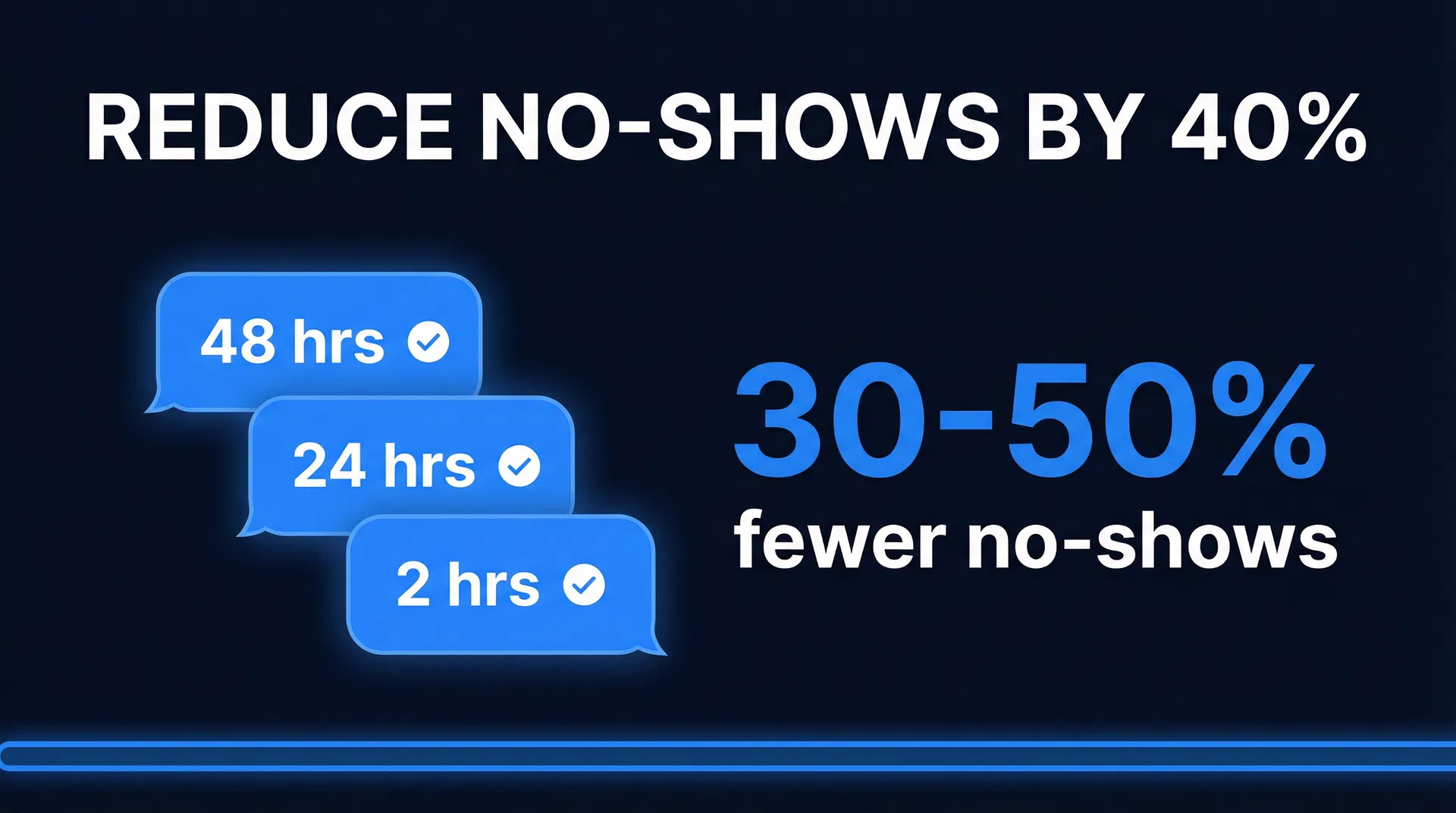
To really stop no-shows, you need to set up a smart, multi-step sequence that works with how clients act. We've seen that a three-touch plan — 48 hours out, 24 hours out, and 2 hours out — works best for almost any business that takes appointments. Each message has a specific job, dealing with different reasons people miss appointments. This is a full confirmation system built to lock in your schedule.
Touch 1: The 48-Hour Heads-Up (The Reschedule Lifeline)
This first reminder is super important. When you send it 48 hours before, clients have plenty of time to reschedule if something comes up. This really cuts down on last-minute cancellations. This reminder should be thorough: date, time, location (or virtual meeting link), what they need to do to get ready, and, most importantly, a simple way to reschedule.
Scenario: Sarah has a financial meeting Wednesday at 2 PM. Monday at 2 PM, she gets a detailed email reminder. She remembers her kid's school play. With 48 hours' notice, she clicks a link, reschedules for Friday, and the financial advisor keeps the appointment. No money lost.
Action Step: Make sure your 48-hour reminder makes rescheduling easy. Use clear calls to action like, “Reply RESCHEDULE to pick a new time” or “Click here to find a new time.” A rescheduled appointment means you get the money; a no-show means you lose it all.
Touch 2: The 24-Hour Confirmation (The Small Commitment)
This message changes from a passive reminder to an active confirmation. Ask your client to confirm they'll be there. A message like, “Reply YES to confirm your appointment tomorrow at 2 PM, or call us to reschedule,” has a much bigger impact than a general notification. A “YES” reply creates a small psychological commitment, which dramatically increases how many people show up. Studies show that active confirmation can cut no-shows by another 15–25% on top of passive reminders [1].
Our Insight: Many businesses miss this. Don't just remind; ask for a commitment. This small change makes a huge difference in your no-show rate.
Touch 3: The 2-Hour Final Nudge (The Last-Minute Save)
This last reminder is your safety net, catching clients who might have forgotten. It gives them one last chance to cancel or reschedule. For service businesses like HVAC companies, it can also work as an “on the way” notification, making people feel more obligated. Knowing the financial impact of missed appointments is key; check out our article on HVAC missed call revenue loss.
Example: A plumbing company has a tech scheduled for a 10 AM repair. At 8 AM, the client gets a text: “Your plumber, Mark, is on his way and will arrive between 9:45 AM and 10:15 AM. Please make sure someone is home.” This reminds the client and encourages them to be ready.
Key Idea: You can adjust the timing for different industries (like a 1-week reminder for medical appointments, or a faster sequence for same-day bookings). But the main point stays the same: multiple, smart messages with an active confirmation in the middle.
Picking the Best Ways to Communicate: More Than Just One Method
How you send reminders is just as important as when. If you only use one method, you limit your reach because clients use all sorts of platforms. You need a multi-channel approach to connect with them where they're most likely to see your message. Use text, email, and phone calls strategically:
Text Messages: Quick Results
For speed and how often they're opened, text messages are powerful. Most texts are read within three minutes, much faster than email's 90-minute average [2]. This makes text perfect for urgent reminders, especially that 2-hour final nudge. Clients are much more likely to reply “YES” to a text than an email link, which gives you invaluable direct feedback. For more on text reminders, see our guide on SMS appointment reminders.
Our Take: If you're not using text messages for important reminders, you're leaving money on the table. It's your most direct way to get a client's attention.
Email: For All the Details and Records
While texts are great for quick messages, email is your main tool for reminders with lots of information. The 48-hour reminder is perfect for email. It lets you include detailed instructions, directions, what they need to bring, and your cancellation policy without overwhelming the client. Email also gives you a handy record, which helps when someone says, “I never knew about the appointment.”
Example: A dental office sends a 48-hour email for a new patient cleaning. This email includes a link to new patient forms, a map, and a reminder to bring their insurance card. This makes sure the patient arrives ready and speeds up check-in.
Phone Calls: For Important Interactions and Personal Touch
You can't make phone calls for every reminder, but they work incredibly well for high-value appointments or clients who often miss appointments. A quick, personal call from your staff the day before a $500+ consultation means more than any automated message. The few minutes spent on such a call are nothing compared to the money you lose from a high-value no-show. Save phone calls for new clients, clients who haven't confirmed, or appointments that are worth a lot of money.
The Combined Approach: The best systems smoothly bring all three channels together. Send an email at 48 hours, a text confirmation request at 24 hours, and a final text or personal phone call at 2 hours for clients who haven't confirmed. This multi-channel strategy reaches more people and makes sure your message gets through.
Writing Good Reminders: What to Say
The words you use in reminders are just as important as the timing. Badly written messages can cause confusion, worry, or problems, which could actually increase your no-show rate. Messages need to be clear, short, and tell people what to do.
Every reminder should clearly include:
- Date and Time: Make it impossible to miss.
- Location/Virtual Link: A physical address or Zoom link, easy to see.
- Name of Person/Service: Make it personal by mentioning the person or the specific service.
This might seem obvious, but making a client dig through old emails for this info is a recipe for frustration and probably a no-show.
The 48-Hour Reminder: Setting Up for Success
Use email for your 48-hour reminder to give clients any instructions they need to get ready. This sets clear expectations and helps your client arrive prepared. For example:
- “Please bring your insurance card and a list of your current medications.”
- “Please arrive 10 minutes early to fill out your new patient paperwork.”
- “Please look over the attached pre-consultation questionnaire before our meeting.”
Giving these instructions makes them more invested, so they're less likely to cancel. It also helps the appointment go smoother and be more productive.
The Reschedule Option: Making "Not Now" Easy
A key part of this is an easy way to reschedule. Your goal is to turn a potential no-show into a rescheduled appointment. A reschedule saves the money; a no-show is a total loss. Don't create unnecessary hurdles.
Best Way to Do It: Instead of telling clients to “Call our office during business hours,” offer easy options like “Reply RESCHEDULE to pick a new time” or “Click here to reschedule online.” Tools like GoHighLevel can automate this, sending a booking link and updating your calendar without you lifting a finger. This convenience really cuts down on the friction that leads to no-shows.
Tone and Branding: Don't Sound Like a Robot
The tone of your reminders should match your brand. A mental health practice uses warm language; a law firm, professional. An auto repair shop can be more casual. Reminders are a chance to show off your brand.
d must maintain consistency. For financial advisors using GoHighLevel, clients expect a professional yet approachable tone.Closing the Loop: Managing Confirmations and Non-Responses
An automated reminder system requesting confirmation but failing to act on responses is incomplete. Automation's true power lies in reacting to client actions. You need a clear strategy for confirmed appointments and, more importantly, for unconfirmed ones.
When a Client Confirms: Acknowledge and Reinforce
Upon a client’s “YES” confirmation, your system should immediately acknowledge it. A simple message like, “You’re all set for tomorrow at 2 PM. See you then!” closes the loop, reinforces commitment, and offers a final chance to address issues. This builds trust and reduces anxiety.
Actionable Step: Configure your GoHighLevel automation to send an instant confirmation acknowledgment.
When a Client Doesn’t Confirm: Proactive Follow-Up
If a client fails to confirm within a few hours of your 24-hour reminder, your system should automatically trigger a proactive follow-up. This isn't nagging; it's about securing a response and saving the appointment.
This follow-up could be a second text, a phone call from staff, or both. The message should be direct but not aggressive: “We haven’t heard back about your appointment tomorrow – just want to make sure you’re still coming. Reply YES to confirm or call us to reschedule.” For a financial advisor, this is vital, as a missed consultation represents a lost opportunity for a long-term client relationship.
The Unconfirmed Appointment: Hold or Release?
For clients still unconfirmed on appointment morning, decide: hold the slot or release to your waitlist? This depends on your business model and appointment value.
- High-Value Appointments: For medical procedures, legal consultations, or major financial planning, hold the slot. Potential revenue and client relationship outweigh the empty slot risk. A financial advisor would hold a slot for a high-net-worth client’s annual review.
- Lower-Value Appointments: For routine, high-volume appointments, releasing the slot to a waitlist optimizes schedule efficiency.
Our Take: Always prioritize client experience and long-term relationship value. While filling every slot is tempting, strategically holding an appointment and making a final personal outreach can often salvage a valuable client.
Building Your Bulletproof System with GoHighLevel: Your Automation Advantage
GoHighLevel is a comprehensive automation platform for complex, multi-touch workflows. For a financial advisor, it transforms chaotic scheduling into a streamlined, revenue-generating operation. Basic setup takes about 30 minutes, then runs on autopilot, freeing you to focus on core business. To determine if GoHighLevel is right for you, consult our guide on who should use GoHighLevel.
GoHighLevel Workflows: Your Automation Powerhouse
The core of your no-show prevention strategy within GoHighLevel is the Automation section, specifically the Workflow builder. This intuitive tool enables automated sequences triggered by events, such as an appointment booking. Here’s an effective no-show reduction workflow for a financial advisor:
First, the workflow initiates the moment a client schedules a consultation. Then, the system automatically dispatches a detailed email two days prior. This email includes necessary documents, the agenda, and a prominent reschedule link. For financial advisors, this might involve a secure link for clients to upload tax documents or review investment goals. One day before, a text requests active confirmation. “Hi [Client Name], this is [Your Firm Name] reminding you of your financial consultation tomorrow at [Time]. Please reply YES to confirm or call us at [Phone Number] to reschedule.” This secures the crucial micro-commitment. This is where automation excels. An “If/Else” step checks for a “YES” reply. If YES: The system sends an automatic confirmation: “Great, we’ll see you then!” and the workflow concludes for that client. If NO (or no reply): The workflow proceeds to the next step. Two hours before the appointment, any unconfirmed client receives a final nudge. This could be another text or, for high-value clients, a task created for staff to make a personal phone call.
This entire sequence is automated, ensuring every client receives the appropriate message at the optimal time, without manual effort.
Comparing Reminder Channels: Text vs. Email vs. Phone
To assist in structuring your multi-touch sequence, here’s a comparative overview of the primary communication channels for appointment reminders:
| Channel | Best For | Pros | Cons |
|---|---|---|---|
| Text Message (SMS) | Urgent updates, 2-hour nudges, quick confirmations | Extremely high open rates, immediate delivery, easy to reply "YES" | Character limits, can feel intrusive if overused |
| 48-hour heads-up, detailed instructions, forms | No character limits, creates a paper trail, great for sending links/attachments | Lower open rates, often ignored or sent to spam, slower response times | |
| Phone Call | High-value appointments, chronic no-shows, personal touch | Highly personal, allows for immediate problem-solving and relationship building | Time-consuming, expensive, often goes to voicemail, doesn't scale well |
Measuring Success: Key Metrics for No-Show Reduction
To ascertain your new system's effectiveness, tracking the right metrics is essential. Beyond the no-show rate, a comprehensive understanding of your appointment-based revenue performance is needed. Key metrics include:
- No-Show Rate: Calculated as (Number of No-Shows / Total Appointments) x 100. Your objective is consistent reduction. For guidance, refer to our guide on how to calculate no-show rate.
- Confirmation Rate: Reflects the efficacy of your 24-hour confirmation request, calculated as (Number of Confirmed Appointments / Total Appointments) x 100. High confirmation rate predicts low no-show rate.
- Reschedule Rate: Often overlooked, this tracks (Number of Rescheduled Appointments / Total Appointments) x 100. An increasing reschedule rate signifies successful conversion of potential no-shows into future revenue.
For complete impact and ROI understanding, consider more than just the missed appointment fee.
For a financial advisor, a no-show for an initial consultation is more than a lost fee. It's a lost opportunity for a long-term client, wasted marketing, and administrative time. True no-show cost often ranges from 2 to 4 times the appointment's face value [3].
Actionable Step: Monitor your no-show rate monthly, segmenting by appointment type, client type, and booking lead time. Most businesses see significant reduction within 30 days of implementing automated reminders, with further improvements over 60-90 days.
Beyond No-Shows: The Importance of Tracking Reschedules
An effective reminder system not only reduces no-shows but also increases reschedules. Clients who might otherwise have disappeared now proactively move appointments. This positive outcome isn't captured by no-show rate alone. Tracking reschedule rate separately is vital. A high reschedule rate indicates your system offers easy, accessible options, transforming potential losses into confirmed future revenue.
Calculating Your Revenue Impact
Consider this for a financial advisor: if your no-show rate drops from 15% to 9%, and you conduct 50 consultations monthly at an average value of $300, that translates to an additional 3 appointments per month (6% of 50) * $300 = $900 in recovered revenue. Against GoHighLevel's affordable monthly cost, the ROI is clear. You're not merely saving appointments; you're directly enhancing profitability. For platform comparison, see our GoHighLevel vs HubSpot analysis.
Actionable Step: use the No-Show Cost Calculator to model your specific figures and project potential revenue recovery before investing. This tool provides solid financial justification for automated reminders.
Common Pitfalls to Avoid: Refining Your Reminder System
Even a well-designed reminder system can be undermined by common errors. The booking channel is often overlooked. Businesses offering online self-scheduling may need a more assertive reminder sequence than those booking by phone. Industry data suggests online bookings can have significantly higher no-show rates than in-person or phone bookings [4], a factor your strategy must address.
Over-Reminding: More isn't always better. Six reminders for a routine financial check-in will irritate clients. The three-touch sequence is generally optimal. Reserve more frequent touches for high-stakes appointments and fewer for frequent, low-stakes bookings.
Generic Messages: An “Appointment reminder” subject line is easily ignored. Personalize messages with the client’s name, specific service (e.g., “your portfolio review”), and advisor’s name. This makes the reminder relevant and valuable, not an automated blast.
Neglecting to Test: Before deployment, send the entire sequence to yourself. Verify every link, confirm timing, and ensure tone is appropriate. A reminder with a broken reschedule link is counterproductive.
Ignoring Post-Launch Data: Your reminder system isn't “set it and forget it.” It requires continuous review and adjustment. If your confirmation rate is low, refine message content or timing. If the no-show rate persists despite high confirmation rates, the underlying issue might be elsewhere, such as initial client onboarding or the booking experience.
Next Steps: From Leaky Bucket to Fort Knox
An automated reminder system represents one of the highest-use investments any service business can make. It effectively plugs a significant leak in your revenue stream and empowers your team to concentrate on client-facing activities. With GoHighLevel, you possess all the necessary tools to construct a solid system that ensures a full calendar and predictable revenue.
Stop accepting no-shows as an unavoidable cost of doing business. Start a free trial of GoHighLevel and transform your appointment schedule into a reliable, revenue-generating asset.
Frequently Asked Questions
How many reminders should I send before an appointment?
For most local service businesses, a three-touch sequence is ideal: a 48-hour email heads-up, a 24-hour text message asking for confirmation, and a 2-hour final text nudge. This provides sufficient notice for rescheduling while keeping the appointment top-of-mind.
What is the best channel for appointment reminders?
A multi-channel approach is most effective. use email for detailed instructions 48 hours prior, and employ SMS text messages for urgent, time-sensitive confirmations 24 and 2 hours before the appointment. Text messages boast significantly higher open and response rates for quick confirmations.
Should I charge a fee for no-shows?
Implementing a no-show fee can be effective, provided it is accompanied by a clear, well-communicated policy. If you choose this route, ensure clients agree to the policy during booking and that your reminder messages explicitly state the cancellation window to avoid the fee. For comprehensive guidance, refer to our article on how to write a no-show policy.
How do I handle clients who repeatedly no-show?
For clients with a history of repeated no-shows, consider requiring a non-refundable deposit at the time of booking. Alternatively, you can implement a policy where such clients are no longer permitted to pre-book and must call for same-day availability. Learn more about using an appointment deposit to reduce no-shows.
Can automated reminders completely eliminate no-shows?
While no system can entirely eradicate no-shows, a solid automated reminder sequence can significantly reduce them, often by 15-25% or more. The primary objective is to minimize preventable no-shows caused by forgetfulness or minor scheduling conflicts.
Before investing in any CRM or automation platform, run the numbers with the free Missed Call Revenue Calculator to see your projected return based on your current lead volume and close rate.
References
[1] McLean, S. M., Booth, A., Gee, M., Salway, S., Cobb, M., & Abbey, G. (2016). Appointment reminder systems are effective, but not for everyone: a systematic review of reviews. Journal of the American Medical Informatics Association, 23(6), 1165–1174. https://doi.org/10.1093/jamia/ocw035
[2] Burke, A. (2022, August 24). SMS Marketing vs. Email Marketing: Which Is Better? TextMagic. https://www.textmagic.com/blog/sms-marketing-vs-email-marketing/
[3] Automation Insiders. (n.d.). The Real Cost of No-Shows for Small Businesses. https://www.automationinsiders.com/blog/real-cost-of-no-shows-small-business
[4] Automation Insiders. (n.d.). Online vs. In-Person Appointment Setting for Small Businesses. https://www.automationinsiders.com/blog/online-vs-inperson-appointment-setting-small-business
Before investing in any CRM or automation platform, run the numbers with the free CRM ROI Calculator to see your projected return based on your current lead volume and close rate.
For a complete breakdown of no-show rates by industry and what the data says about reminder timing, read our no-show rate by industry benchmarks guide. Use our no-show cost calculator to calculate the exact revenue impact of your current no-show rate.