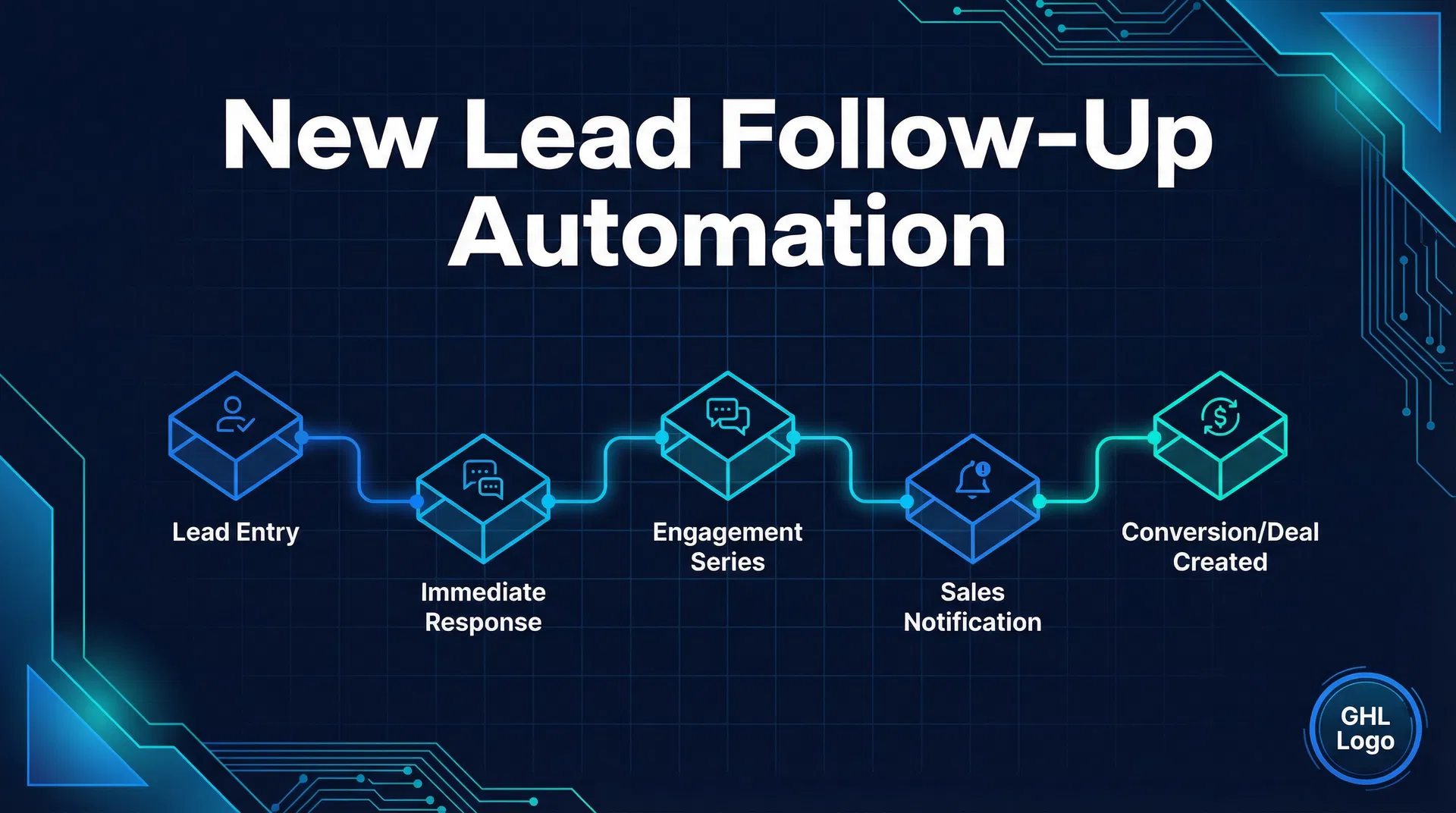
GHL New Lead Follow-Up Automation Recipe: The 5-Touch Sequence That Books More Jobs
Here's the thing: when a new lead hits your pipeline – maybe it's a homeowner needing a furnace tune-up, a dental patient looking for an appointment, or a business owner with a leaky pipe – you've got about 24 hours to make a real connection. Miss that window, and they're probably calling your competitor. We've seen it happen countless times. That's why this GHL new lead follow-up automation recipe is so effective for businesses like HVAC, plumbing, roofing, and dental. It's a smart, 5-touch, multi-channel sequence designed to get you in front of every single lead, fast, without you lifting a finger.
If you're tired of manual follow-ups falling through the cracks, inconsistent communication, or just losing good leads because you couldn't respond quickly enough, this guide is for you. We'll walk through why this approach works, how to set it up in GoHighLevel, common mistakes to avoid, and the concrete results you can expect.
What Is GHL New Lead Follow-Up Automation and Why It's Essential
GoHighLevel (GHL) is a powerful CRM and marketing automation platform built specifically for local service providers. Its real strength lies in automating critical processes, and lead follow-up consistently delivers one of the highest returns on investment you can automate.
New inquiries are pure gold. The speed and consistency of your initial follow-up often determine whether you book a job or lose an opportunity. Research consistently shows you need to connect with a new lead multiple times across different communication channels to maximize your chances:
- Some prospects prefer SMS because it feels personal and immediate.
- Others open emails for more detailed information or special offers.
- And a voicemail drop adds an unmistakably human touch that sets you apart.
The GHL new lead follow-up automation uses a 5-touch sequence incorporating SMS, email, and a voicemail drop to cover all these bases. It's focused on engaging prospects within the first 24 hours. Statistics confirm this is the prime window to grab their attention before competitors do.
For HVAC, plumbing, roofing, and dental offices, where inquiries can come from phone calls, web forms, Google ads, or social media, this system ensures every new lead gets consistent, timely nurturing – automatically. The result? Fewer leaks in your sales funnel, more jobs booked, and a smoother workflow for your team.
If you want to learn more about how GHL drives results for specific industries, check out this detailed GHL for HVAC and GHL for dental offices guide.
Step-by-Step Setup Inside GoHighLevel: Crafting the 5-Touch Follow-Up Sequence
Let's roll up our sleeves and build this automation. You don't need to be a tech whiz, but having your GHL account ready is important. If you're new and curious about pricing and what you actually get, here's a quick primer: GHL pricing breakdown.
Step 1: Define the Trigger – New Lead Creation
Trigger: "Contact Created" or "Form Submitted" or "New Opportunity Created"
- Navigate to Automations > Workflows.
- Create a new workflow and name it "New Lead 5-Touch Follow-Up."
- Set the trigger to fire when a new contact is created or when a new opportunity enters the pipeline stage (depending on how your pipeline is set).
This ensures the moment a lead is captured – via a call, website form, or manual entry – the workflow kicks off.
Step 2: Touch #1 – Immediate SMS Acknowledgment
Action: Send SMS immediately.
- Add the 'Send SMS' action right after the trigger.
- Craft a warm, conversational message such as:
"Hi {contact.first_name}, thanks for reaching out! We received your request and will get back within the next hour. If you have any urgent questions, feel free to reply here."
- Personalization tags like {contact.first_name} make the text feel more human.
This immediate reply confirms receipt and sets expectations – preventing that dreaded "radio silence" experience.
Step 3: Touch #2 – Email With Value Add (Wait 15 minutes)
Action: Wait 15 minutes, then send an educational or promotional email.
- Insert a 'Wait' step for 15 minutes.
- Add 'Send Email' action.
- Email content might be:
Subject: What You Need to Know Before Booking Your {service_type}
Body: "Hi {contact.first_name}, \n\n > Just wanted to make sure you have all the info you need about our {service_type} services. Here's a quick guide to help you prepare: [link to guide]. If you'd like to chat, just hit reply!"
- Tailor the email based on your business vertical.
This touch acknowledges that some leads like detailed information and helps build trust.
Step 4: Touch #3 – Voicemail Drop (Wait 30 minutes)
Action: Wait 30 minutes, then drop voicemail.
- Add another 'Wait' step for 30 minutes.
- Configure a 'Voicemail Drop' action (this is a GHL feature that plays a prerecorded message without ringing).
- Your voicemail script example:
"Hi {contact.first_name}, this is [Your Business] checking in about your recent request. We'd love to help and are ready to schedule your appointment when you are. Please call us back at [phone number]. Thanks!"
Voicemail drops like this add a friendly, personal touch and reach prospects who are phone-averse or prefer hearing a voice.
Step 5: Touch #4 – SMS Follow-Up With Urgency (Wait 1 hour)
Action: Wait 1 hour, then send SMS.
- Insert a 'Wait' step for 1 hour.
- Add 'Send SMS' action.
- SMS copy example:
"Hi {contact.first_name}, spots are filling up fast this week – do you want to secure your {service_type} appointment? Just reply or call us at [phone number]."
This message creates a sense of urgency, encouraging action without being pushy.
Step 6: Touch #5 – Final Email With Booking Link (Wait 2 hours)
Action: Wait 2 hours, then send email.
- Add a 'Wait' step for 2 hours.
- Add 'Send Email' action.
- Email content example:
Subject: Ready to Book Your {service_type} Appointment?\n\n > Body: "Hi {contact.first_name}, \n\n > We'd love to get you scheduled at your convenience. Click here to book online now: [booking link]. If you have questions, just reply!"
Including a direct booking link reduces friction in scheduling. It makes it easier for them to take the next step.
Bonus Step: Conditional Logic to Stop Workflow on Booking
- Add a condition to check if the contact has booked (pipeline stage changed to "Booked" or specific tag applied).
- If yes, end the workflow for that lead.
This prevents bombarding a prospect who has already committed. Nobody likes getting messages after they've already taken action.
Common Mistakes to Avoid When Setting Up Your Follow-Up Automation
Even the best automation can fall flat if not set up thoughtfully. Here are common traps we've seen businesses fall into:
Overwhelming Leads with Too Many Messages: While 5 touches in 24 hours is often ideal for local service inquiries, you don't want to crush leads with too many messages. This recipe balances persistence with politeness.
Generic, Impersonal Messaging: Skimping on personalization makes your messages feel robotic. Use contact tags and tweak language to sound human and relevant. It makes a huge difference.
Ignoring Opt-Outs and Compliance: Make sure every SMS and email includes clear opt-out instructions. Follow TCPA and CAN-SPAM rules scrupulously to avoid penalties. This isn't just good practice; it's the law.
Not Testing Your Workflow Before Going Live: Always run dummy leads through your workflow. Check timing, message accuracy, and that conditional logic prevents unnecessary messaging. You'd be surprised what you catch.
Not Integrating With Your Existing Phone System: Especially for voicemail drops to work correctly, confirm your telephony integration is solid. This is a crucial piece of the puzzle.
For additional ideas about automations that directly impact your bottom line, check out this article on automation workflows that move revenue.
Real-World Results: From Lost Leads to Booked Jobs
Take Sarah, who runs a mid-sized plumbing business in Ohio. Before automating her lead follow-up, Sarah's team handled inquiries manually. This led to several dropped contacts and inconsistent follow-up. It was a constant headache.
Within just one month of implementing the 5-touch GHL sequence:
- Lead response times shrank from hours to under 5 minutes post-inquiry.
- Scheduled appointments increased by 32%. That's a significant jump.
- Customer satisfaction feedback improved due to prompt communication.
- Staff freed up hours previously spent on manual follow-ups. Imagine what your team could do with that extra time.
Similarly, a dental office in Texas reported a 25% drop in no-shows and a 20% boost in new patient bookings after rolling out this sequence combined with automated appointment reminders (learn more about reducing no-shows here).
These wins aren't outliers. When implemented thoughtfully, this simple but high-frequency, multi-channel approach noticeably amplifies booking rates. It turns those "check the schedule and get back to you" moments into confirmed jobs.
Plus, because the workflow captures and logs every interaction, your team gains valuable tracking data to optimize scripts and timing – no more guessing. You'll know exactly what's working.
Wrapping It Up: The Bigger Picture of Consistent Automation
Automation, when used strategically, is a business's silent powerhouse. The GHL new lead follow-up automation recipe is more than just a sequence of messages; it's the foundation for building trust, demonstrating professionalism, and creating a smooth path from inquiry to booked appointment.
For local service businesses – like HVAC, plumbing, roofing, and dental clinics – this means less time chasing leads and more time delivering exceptional service. That's how you turn jobs into raving reviews and repeat customers.
The beauty of this system is its scalability. Your follow-up logic can evolve with your business: adding more personal touches, integrating additional channels, or acting on new insights. Staying top-of-mind without being intrusive is a delicate art, and GoHighLevel's tools give you the brush and palette to master it.
If you're ready to transform your lead follow-up game and boost conversions without extra effort, exploring GoHighLevel might just be the smartest next step. Signing up via this link ensures you get the exact platform to implement these automations effectively: Start automating smarter with GoHighLevel.
Think about where your business would be in six months if every new inquiry received timely, thoughtful follow-up without fail. That consistent engagement compounds into relationships, reputation, and a healthier bottom line. It's not just about getting more leads; it's about building a better business.
Related Resources
- Check out our missed call text-back setup guide to catch every phone lead automatically.
- Curious about the missed call calculator tool to measure lost opportunities?
- Explore other AI internal workflows designed for local businesses.
Category: Automation
To find out where your pipeline is leaking revenue, the free Pipeline Leakage Calculator breaks down your loss by stage so you know exactly where to focus first.